
Types of survey questions: 12 formats with examples
When you write survey questions, the answer format matters just as much as clear wording. Different types of survey questions return different kinds of data: multiple choice gives you a category, a rating scale shows how strongly people feel, and an open text field lets them explain why in their own words. Choose the wrong format, and the answers get harder to analyze or can even distort the result. In this article, we closely examine 12 survey question types with examples, use cases, and the limits of each.
Types of survey questions at a glance
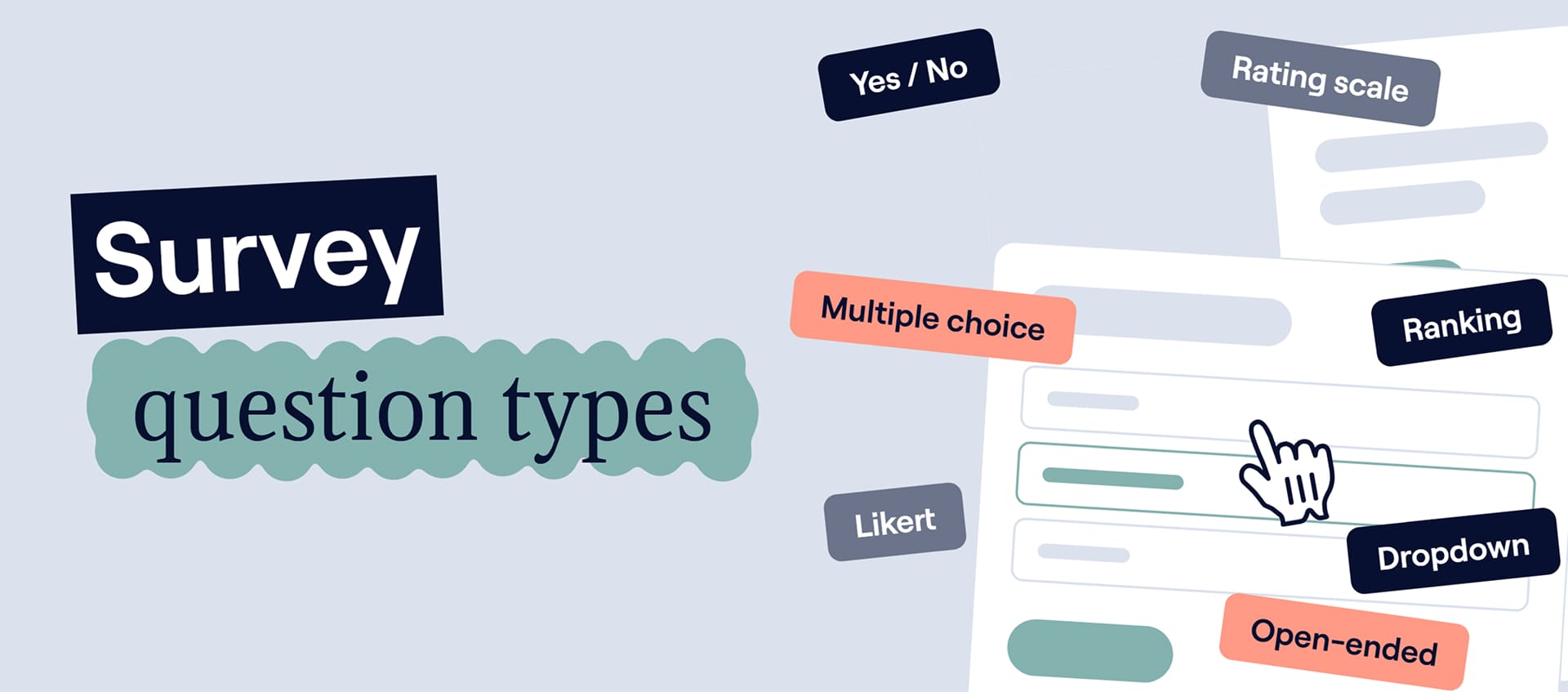
Each format answers a different kind of question. Use this table as a cheat sheet: find what you need to learn in the “Best for” column, then check what kind of data you’ll get back. Closed formats return categories and numbers you can count and chart. Open-ended questions return text you’ll need to read and group.
| Question type | Best for | Data you get | Example |
| Yes/no | Confirming a fact | Categorical | Have you used this feature? |
| Multiple choice | Choosing one option | Categorical | Which plan do you use? |
| Checkbox | Selecting several options | Categorical | Which features do you use? |
| Rating scale | Measuring intensity | Quantitative | Rate your experience from 1 to 5 |
| Likert scale | Measuring attitudes | Quantitative | Strongly disagree → Strongly agree |
| Matrix | Rating several related items | Quantitative | Rate price, support, usability |
| Ranking | Prioritizing items | Quantitative | Rank these features |
| Open-ended | Understanding reasons | Qualitative | What should we improve? |
| Dropdown | Choosing from a long list | Categorical | Select your country |
| Demographic | Segmenting respondents | Categorical | What is your company size? |
| Slider | Choosing a point on a continuum | Quantitative | Pick a value from 0 to 100 |
| Conditional | Personalizing the survey path | Depends on follow-up | Different question based on previous answer |
Most surveys combine several of these formats. The sections below explain how each one works and where it tends to go wrong. Keep your own survey in mind as you read, and by the end you’ll know which format fits each of your questions.
Open-ended vs. closed-ended survey questions
Before the full list, it helps to see the main split. Every survey question is either closed-ended or open-ended, and this choice shapes what you can do with the answers.
Closed-ended questions
Closed-ended survey questions give respondents a set of prepared answers. They’re quick to answer, easy to compare, and simple to turn into percentages and segments. The trade-off: you decide in advance which answers are possible, so you may miss anything you didn’t think of.
Open-ended questions
Open-ended survey questions let people answer in their own words. They reveal reasons and context and often surface problems or ideas you didn’t expect. They also take more effort to answer, and a few hundred free-text replies take real time to analyze.
A simple rule: use closed-ended questions to measure what you already know how to categorize. Use open-ended questions when you need to discover the “why” or something you didn’t anticipate. Good surveys usually mix both.
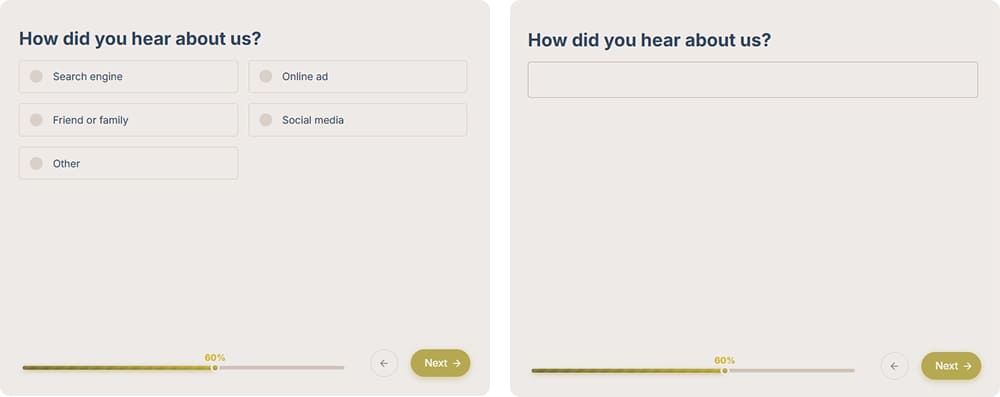
Closed-ended vs. open-ended: the same question with answer options and with a free-text field
12 types of survey questions with examples
Below, every question type has its own section. You’ll see what the format is, when it’s worth using, and where it can trip you up, plus an example you can adapt to your own survey. Most examples come from marketing and product research, but the same logic works for any survey questionnaire.
1. Dichotomous questions: yes/no
A dichotomous question offers two mutually exclusive answers: yes or no, true or false, agree or disagree. It takes a second to answer, which makes it an easy way to open a survey.
Use it to confirm a fact or filter respondents. For example, you can ask whether someone is already a customer and show customers and non-customers different questions.
Example:
Have you purchased from us before?
◯ Yes
◯ No
Watch out for: opinions with a middle ground. “Do you like our new pricing?” forces people to pick a side. For attitudes, a rating or Likert scale gives a more honest picture.
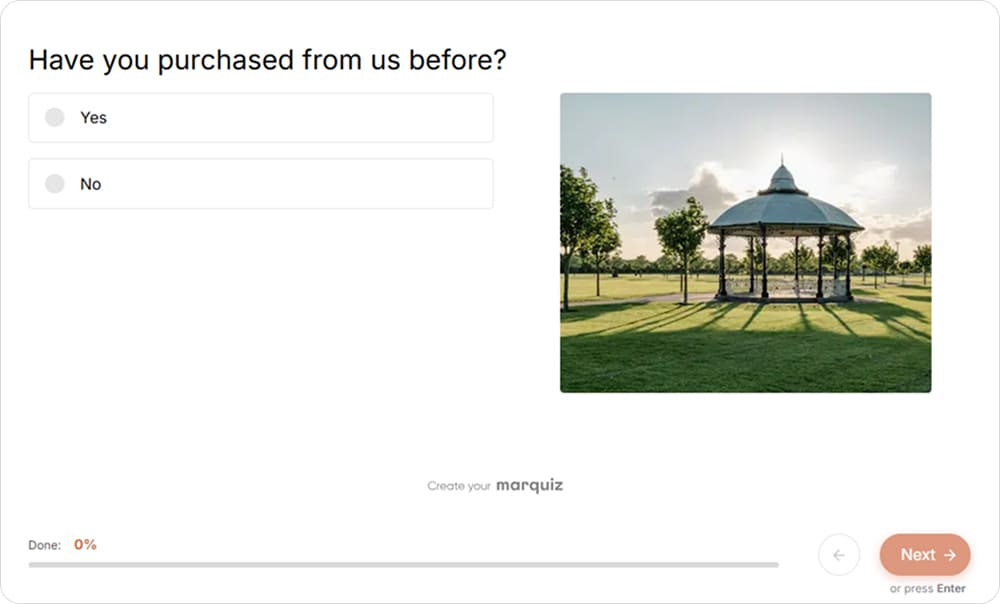
A yes/no question at the start of a survey helps you split customers from non-customers
2. Multiple choice questions
Multiple choice survey questions show a list of options, and the respondent picks one. They’re the backbone of most surveys because the answers are easy to count and compare.
Use this format to segment respondents, sort them into categories, or learn their main choice when the options don’t overlap.
Example:
Which device do you primarily use to access our product?
◯ Desktop
◯ Smartphone
◯ Tablet
◯ Other
Watch out for: overlapping options. If someone could honestly pick two answers, rewrite the options or switch to a checkbox. And add “Other” if you can’t list every possible answer.
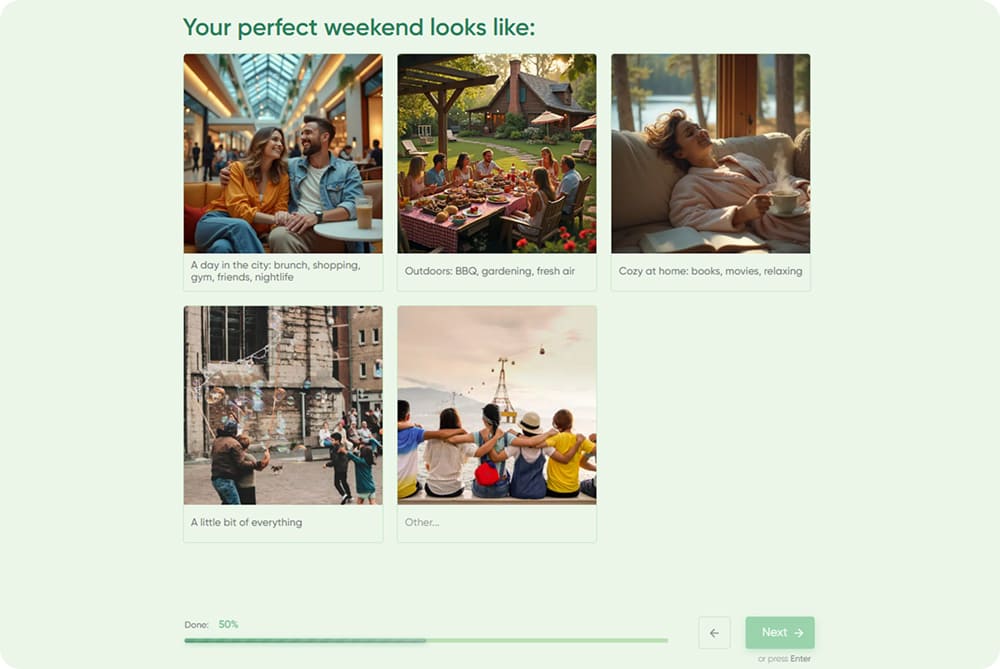
Picture options make a multiple choice question faster to answer and easier to scan
3. Checkbox / multiple response questions
Checkbox questions look like multiple choice, with one difference: respondents can select every option that applies. Use checkbox questions when several answers can be true at the same time, such as the tools, channels, or habits people combine.
Example:
Which marketing channels do you currently use? Select all that apply.
☐ Search
☐ Social media
☐ Events
☐ Partnerships
Compare it with multiple choice. “Which channel brings you the most leads?” has one answer for each respondent, while “Which channels do you use?” may have five.
Watch out for: long lists. With too many options, people skim and tick only the first few. Keep the list short and say clearly that more than one answer is allowed.
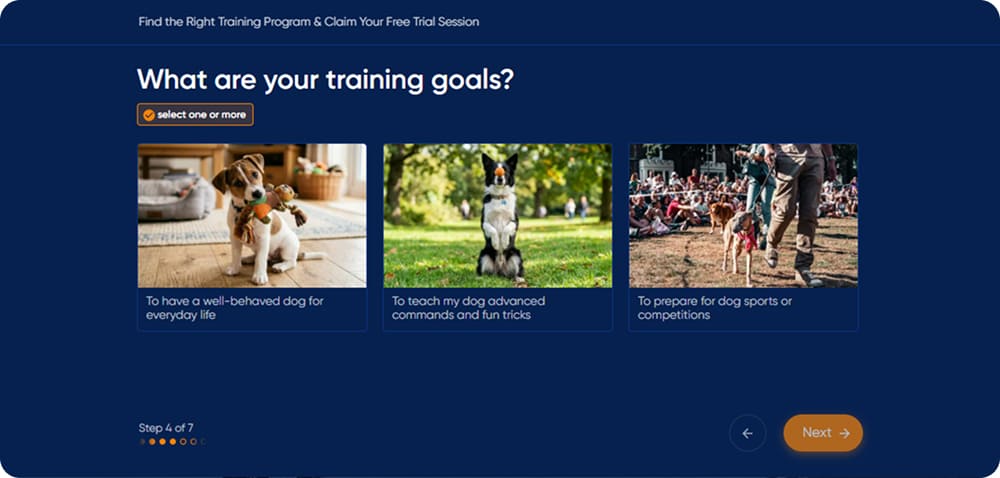
The “select one or more” hint tells respondents they can pick several answers
4. Rating scale questions
Rating scale questions ask respondents to evaluate something on a numeric or labeled scale, usually from 1 to 5 or from 1 to 10. A rating shows intensity, so you see the difference between “fine” and “great.” Use such questions to measure satisfaction, quality, effort, or likelihood.
Example:
How satisfied are you with your recent purchase?
1 (Very dissatisfied) — 5 (Very satisfied)
The best-known rating question is the Net Promoter Score (NPS): “How likely are you to recommend us to a friend or colleague?” asked on a scale from 0 to 10. The score itself is the share of promoters (9–10) minus the share of detractors (0–6).
Watch out for: unclear anchors. Label both ends of the scale so respondents know whether 1 means good or bad, and keep the same direction throughout the survey.
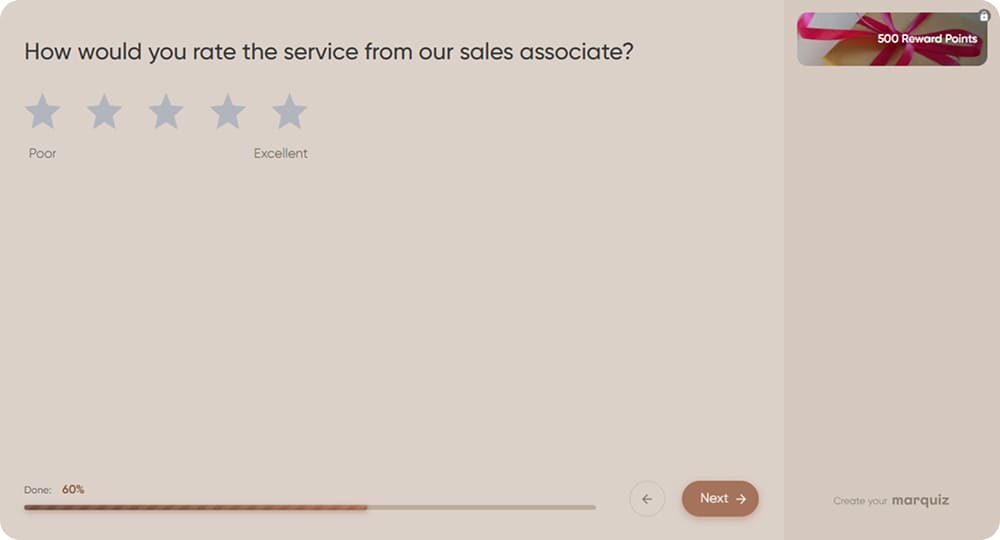
Star ratings are a familiar way to measure satisfaction, and labeled ends make the scale clear
5. Likert scale questions
A Likert scale question shows a statement and asks how much the respondent agrees with it, usually on a five- or seven-point scale. The format is named after psychologist Rensis Likert, who introduced it in the 1930s, and it’s still a standard in customer and employee research.
Example:
The product is easy to use.
Strongly disagree / Disagree / Neither agree nor disagree / Agree / Strongly agree
Here’s the difference from a rating scale. A rating question asks people to evaluate an object: “How would you rate our support?” A Likert question asks them to react to a statement: “Our support team solves problems quickly.”
Use a Likert scale to measure attitudes and perceptions, especially when you want to explore several sides of one experience through a series of statements.
Watch out for: statements with two ideas. If your product is easy to use but expensive, nobody can honestly answer “The product is easy to use and affordable.” Keep one idea per statement.
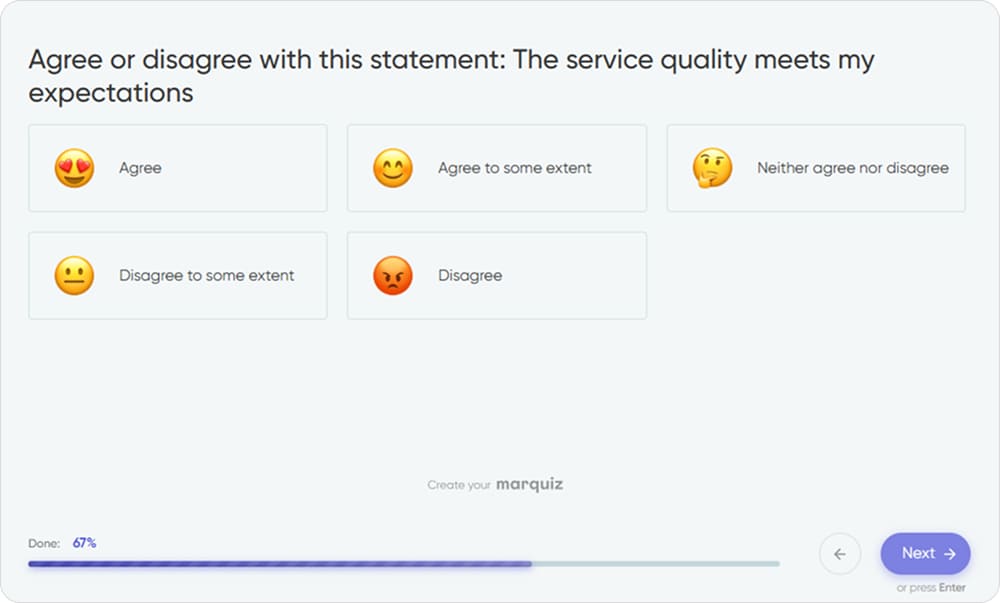
When answering a Likert scale question, respondents react to a statement instead of rating an object
6. Matrix questions
A matrix question puts several items in rows and one shared scale in columns, so respondents rate everything in one place. Use this format when you need to rate several aspects of one product or service.
Example:
Rate the following aspects of our product:
Ease of use / Price / Features
Very poor / Poor / Fair / Good / Excellent
Watch out for: size. In a large grid, tired respondents start clicking the same column in every row, and on mobile it turns into horizontal scrolling. Keep matrices compact or split them into several short questions.
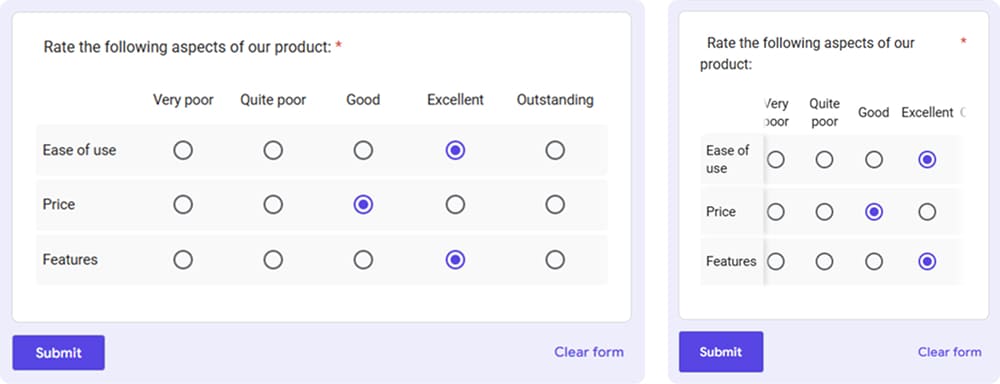
The same matrix on desktop and on mobile: on a narrow screen, the last column disappears and labels get cut off
7. Ranking questions
Ranking questions ask respondents to put options in order of priority, usually by dragging them up or down a list. They take a bit more effort than a single click, but they give you something other formats can’t: a clear order of what matters most.
Example:
Rank these factors from most to least important when choosing software:
Price / Features / Support / Integrations / Ease of use
Unlike a rating, where every option can get a 5, a ranking makes options compete for places, so only one can come first.
Watch out for: long lists. Ranking five items is easy, but with fifteen, the middle positions turn into guesswork.
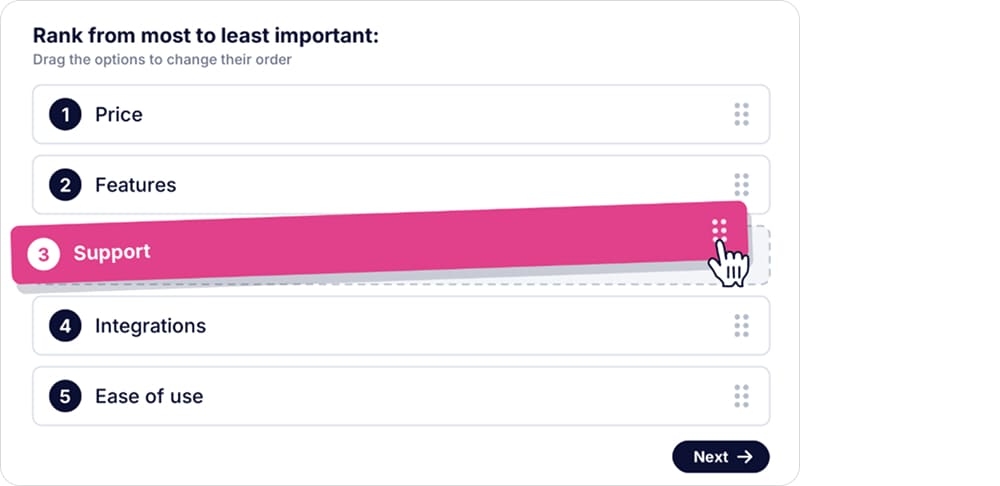
Ranking questions make options compete for places: only one item can take the top spot
8. Open-ended questions
An open-ended question gives respondents a text field instead of options, so they answer in their own words. The answers are messier than a neat set of percentages, but they often hold the details that explain your numbers.
Example:
What is the one thing we could improve about your experience?
Use an open-ended question as a follow-up after a rating (“What’s the main reason for your score?”), to find the causes behind a problem, in discovery research, or whenever you can’t predict the possible answers.
Watch out for: overuse. A survey full of text boxes gets abandoned or filled with one-word replies. One or two well-placed open questions usually tell you more than five generic ones.
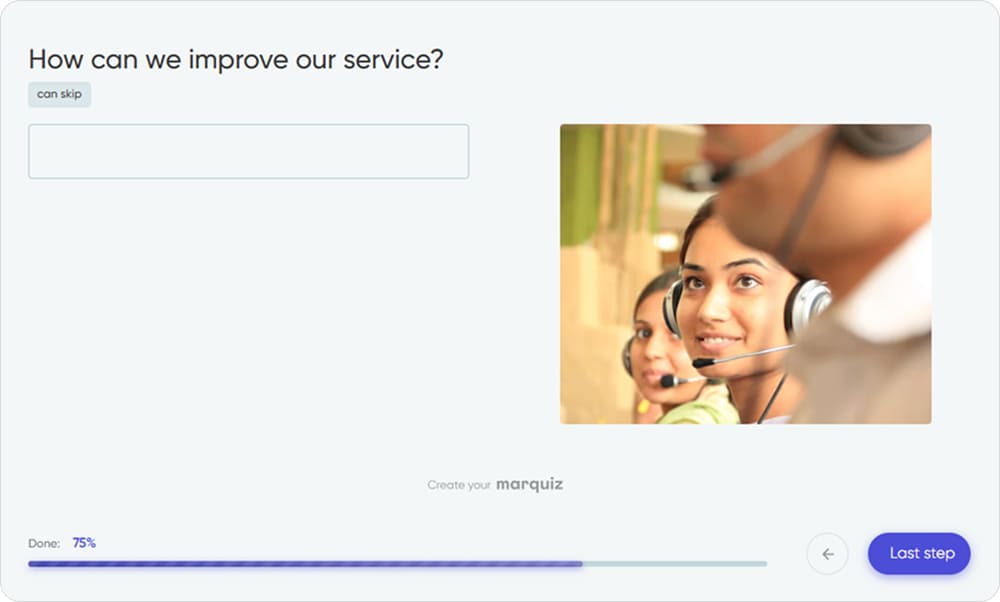
An optional open-ended question allows respondents to share ideas without feeling forced to type
9. Dropdown questions
A dropdown hides a long list of options behind one compact field. The respondent opens it and picks a single answer, often by typing the first few letters.
Example:
Which country are you based in?
Select your country ▾
Use a dropdown when the list is genuinely long, such as countries, states, or industries, especially on mobile, where it saves space.
Watch out for: short lists. For three or four answers, a dropdown just adds a click, so show them as regular multiple choice.
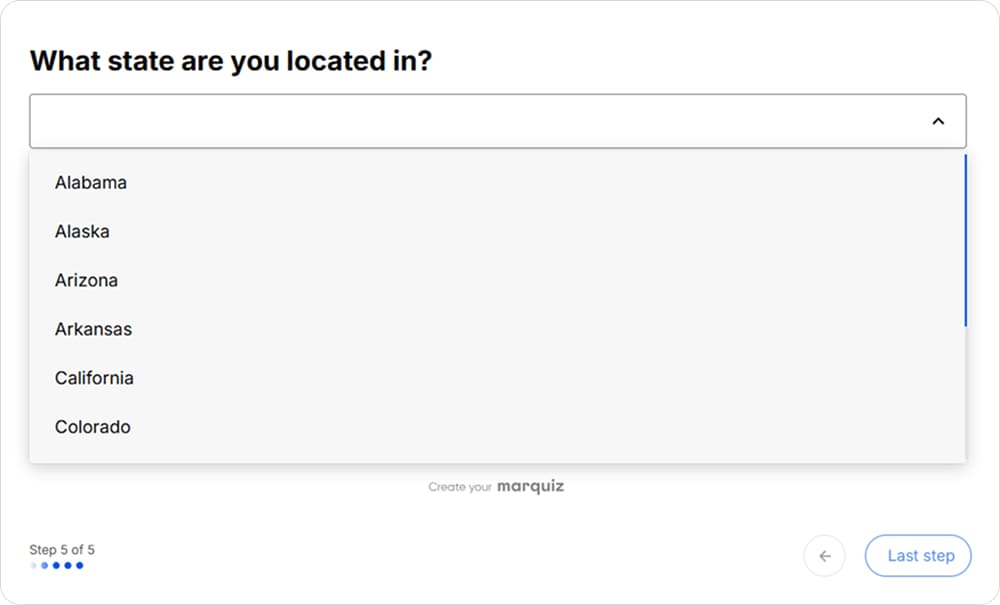
Dropdown questions work best for long lists like states or countries
10. Demographic questions
Demographic survey questions collect background information that helps you segment respondents: age, role, company size, industry, or location. On their own, these answers rarely tell you much, but next to other answers, they show who said what.
Example:
How many employees work at your company?
◯ 1–10
◯ 11–50
◯ 51–200
◯ 201–1,000
◯ More than 1,000
Use this question type when you want to compare groups, for example, to see whether small and large companies rate a feature differently.
Demographic answers can also shape what people get at the end. One of our clients, an online HR course, asked about job level and company size and used the answers to build a personal career plan for each respondent. The quiz brought in over 700 leads in three months.
Watch out for: collecting data “just in case.” Ask only for details you’ll use, add “Prefer not to answer” for sensitive topics like age or income, and put these questions at the end unless you need them to screen respondents.
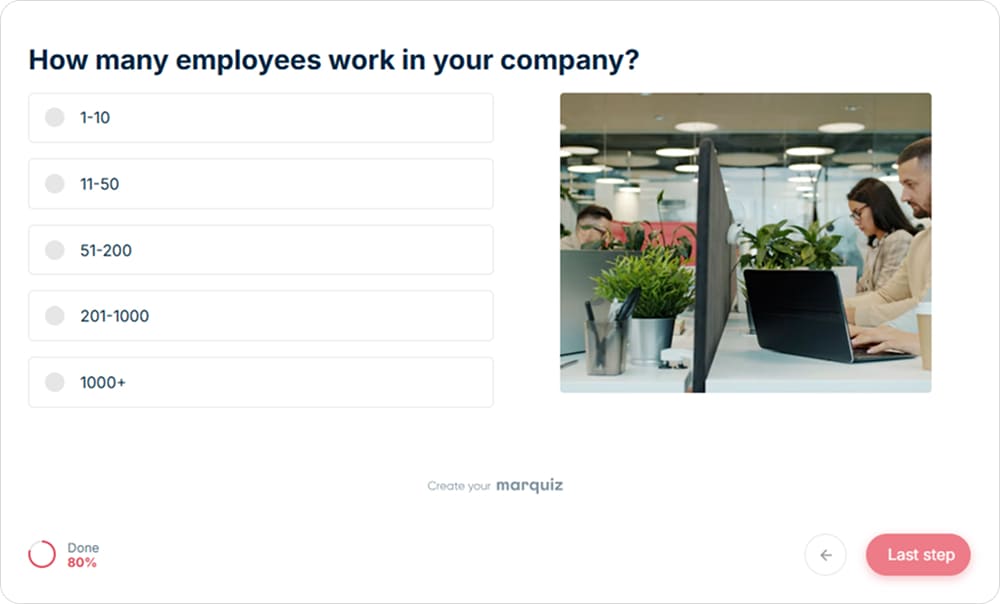
Demographic questions help you segment answers, for example, to compare small, medium-sized, and large companies
11. Slider questions
A slider question lets respondents choose a value by dragging a handle along a visual scale. The scale can measure an attitude, like importance from 0 to 100, or a specific value, like a budget or the size of a home. Some sliders also add a number field, so people can type an exact value instead of dragging.
Example:
How important is price when choosing a solution?
0 (Not important) to 100 (Extremely important)
Use a slider for continuous scales, where a few fixed points feel too rough, such as importance, likelihood, or confidence.
Watch out for: false precision. The difference between 67 and 71 rarely means anything, but in a report it looks exact. On mobile, it’s also hard to land on a specific value with a thumb.
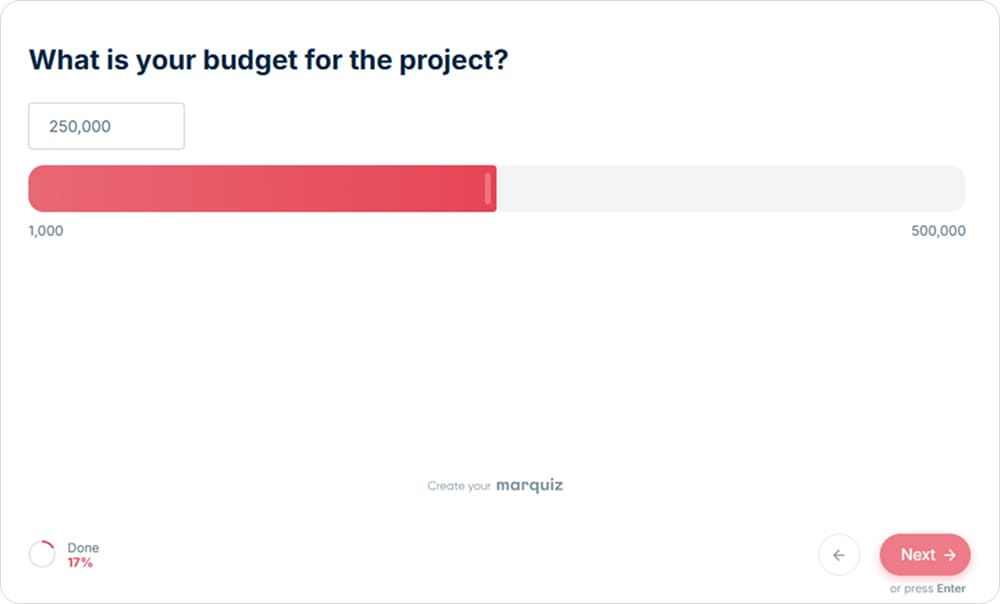
Sliders work well for numeric ranges like budget, with clear minimum and maximum values on both ends
12. Conditional questions and branching
A conditional question appears only when a respondent gives a certain answer to an earlier question. The survey then changes its route depending on what people answer.
Example:
Do you currently use our product?
Yes → Which features do you use most?
No → What would make you try it?
Strictly speaking, a conditional question is a piece of survey logic rather than an answer format: the follow-up itself can be multiple choice, open-ended, or any other type. In practice, though, people treat it as a question type of its own, and most survey tools do too.
Use conditional questions whenever different groups of respondents need different questions: each person sees only what’s relevant, so the survey feels shorter.
Watch out for: untested paths. Walk through every branch before launch: one broken rule can skip the questions you need most.
How to choose the right survey question type
Start with one question: what will you do with the answer? If you need a number for a report, choose a closed format. If you need to fix a problem, you first have to learn what the problem is, which often means letting people describe it. Here’s a simple framework.
If you need a percentage or category
Use yes/no, multiple choice, checkbox, or demographic questions. They produce answers you can count right away, such as the share of returning customers or the most common company size among your respondents.
If you need to measure intensity
Use rating scale questions, Likert scales, or sliders. They show how strongly people feel, which a yes or no can’t capture. Ratings work for evaluating a product or service, Likert scales for attitudes toward a statement, and sliders for a finer, continuous range.
If you need to understand priorities
Use ranking questions. Ask people to rate five features, and they may well give all of them a 5. A ranking makes them choose, so you see what to build, fix, or promote first.
If you need to compare several related items
Use a matrix. When the same scale applies to several aspects of one experience, a matrix keeps the answers comparable and the survey compact. Just make sure it still fits on a phone screen.
If you need to understand why
Use an open-ended question. Closed questions show what people think, while open ones explain the reasons behind it. Place them right after a key rating or choice to get context for that answer.
If the next question depends on the answer
Use branching or skip logic. Customers and non-customers, beginners and experts can all take the same survey, and each of them follows a path built for their situation.
The main principle is to work backward. Write down the decision or analysis you need to make after the survey, then choose the question format that gives you that data.
Get lots
of leads — steadily
and affordably
A quiz delivers better results —
no extra ad budget needed

Examples of survey questions for different goals
Real surveys rarely stick to one format, so below you’ll find four sets of survey questions. Examples are grouped by common marketing goals, with the format of each question in parentheses, so you can see how different types work together.
Customer satisfaction survey questions
Satisfaction surveys work best when they’re short and sent soon after the interaction. Pair a rating with one open follow-up: the score tells you how you’re doing, and the comment tells you what to change.
- How satisfied are you with your recent experience? (rating scale)
- How easy was it to complete your purchase? (rating scale)
- What could we have done better? (open-ended)
Three questions are often enough here. If scores start to drop, the open answers usually show you why before you need a separate study.
Product feedback survey questions
Product feedback combines usage facts with opinions. Start with what people actually do, then ask how it feels, and leave room for ideas you haven’t thought of.
- Which feature do you use most often? (multiple choice)
- How easy is this feature to use? (rating scale)
- What feature would you like us to add? (open-ended)
Read the answers together rather than one by one. If people use a feature most often but rate it as hard to use, that’s the first thing to fix.
Market research survey questions
Market research surveys often reach people who don’t know your brand yet, so keep the questions neutral and focused on their habits. A checkbox maps the market, a ranking shows what drives decisions, and an open question reveals pain points.
- Which of these products have you purchased in the past six months? (checkbox)
- Rank the following factors by importance when choosing a product. (ranking)
- What is the biggest challenge you face when choosing a solution? (open-ended)
The open answers are especially useful here: they give you the exact words customers use to describe their problem. You can reuse that wording in your ads and on your landing pages.
Lead qualification survey questions
Lead qualification questions help you understand what a potential customer needs before the first call. The answers show who is ready to buy now, so your sales team knows where to start.
- What are you looking to achieve? (multiple choice)
- Which solution are you interested in? (multiple choice or checkbox)
- What is your expected timeline? (multiple choice)
- Which factors matter most when choosing a provider? (ranking)
For lead qualification, survey-style questions can also live inside an interactive funnel. A quiz builder for lead generation such as Marquiz can combine multiple choice, visual answers, open-ended questions, and branching to collect this information before a lead reaches your sales team.
Here’s one example from our own clients. A real estate agency in Phuket asked buyers about the purpose of the purchase, their price range, and when they planned to visit. Over one season, the quiz brought in 309 conversions from Google Ads and $2 million in sales.
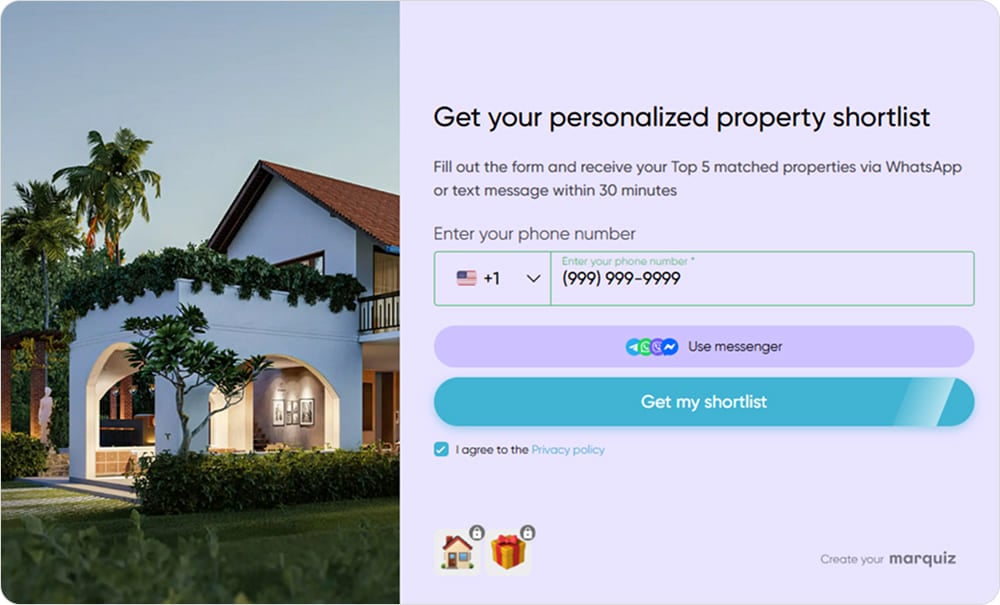
A lead qualification quiz ends with a clear offer, so people have a reason to leave their contact details
Key takeaway
📌 The best survey question type is the one that matches what you need to learn. Start with the decision you want to make, choose the format that produces the right kind of data, and make the question as easy as possible for respondents to understand and answer. And if you can’t say what you’ll do with an answer, you probably don’t need the question at all.
FAQ