
Marquiz’s protective features for higher-quality leads
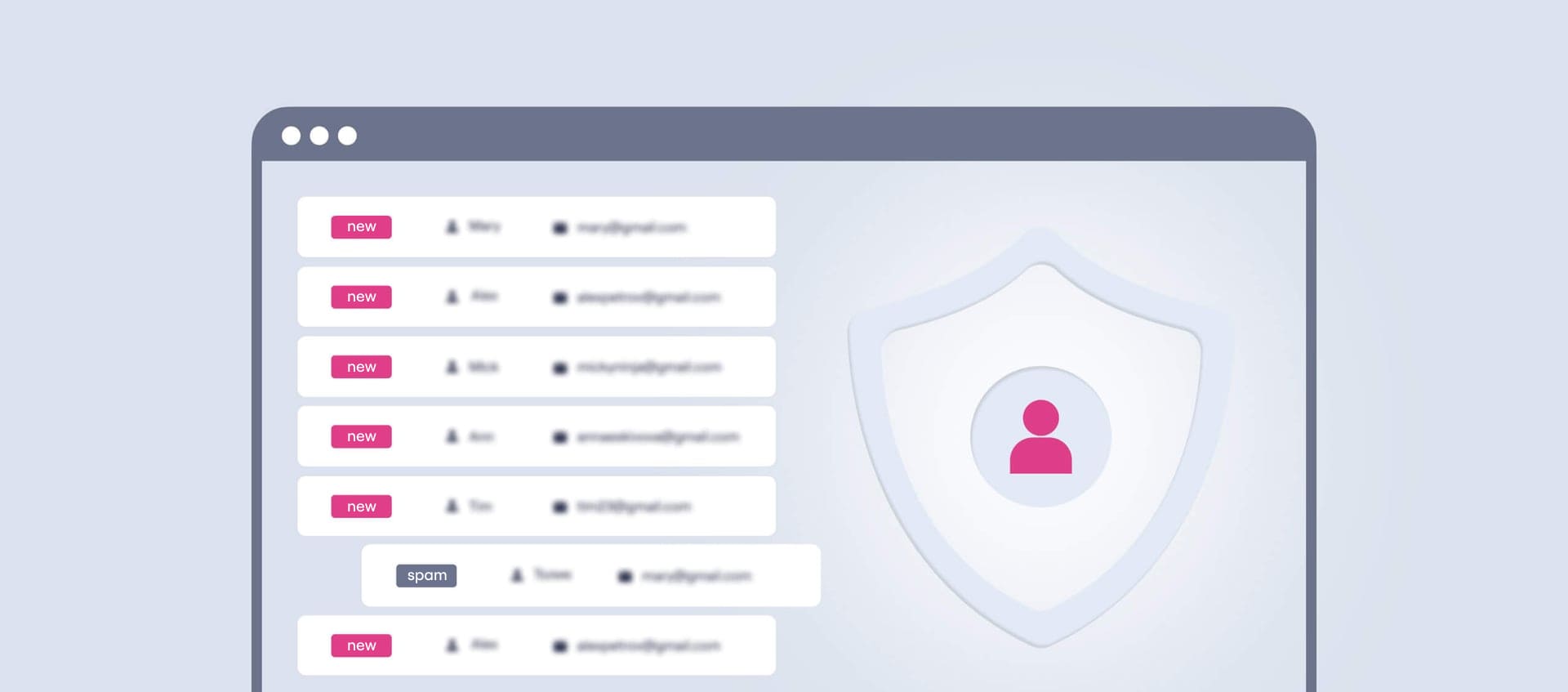
Here we’ll cover all technical ways to raise the quality of the leads your quiz generates. This article will be especially helpful in highly competitive niches and whenever you suspect spam.
What Marquiz offers:
| Feature | Purpose |
| Automatic IP blocking | To stop mass spam from a single address |
| Manual blocking (IP and fingerprint) | To stop specific spammers |
| Google reCAPTCHA v3 | Bot protection |
| Anti-spam (beta) | Advanced behavioral filtering |
Now let’s look at each feature in more detail.
Automatic IP blocking for frequent lead submissions
If more than five submissions come from a single IP address within an hour, the system temporarily blocks submissions from that IP for one hour.
Useful when:
– Your traffic looks like spam or bots
– The same IP generates an unusually high number of submissions
How it works:
The system automatically tracks how many submissions come from one IP. Once it passes the limit of five per hour, new submissions stop going through.
Things to keep in mind:
– The blocking is automatic and needs no manual setup
– It doesn’t affect submissions coming from different IPs
– It can block office networks that share a single internet connection, so keep that in mind when you analyze traffic
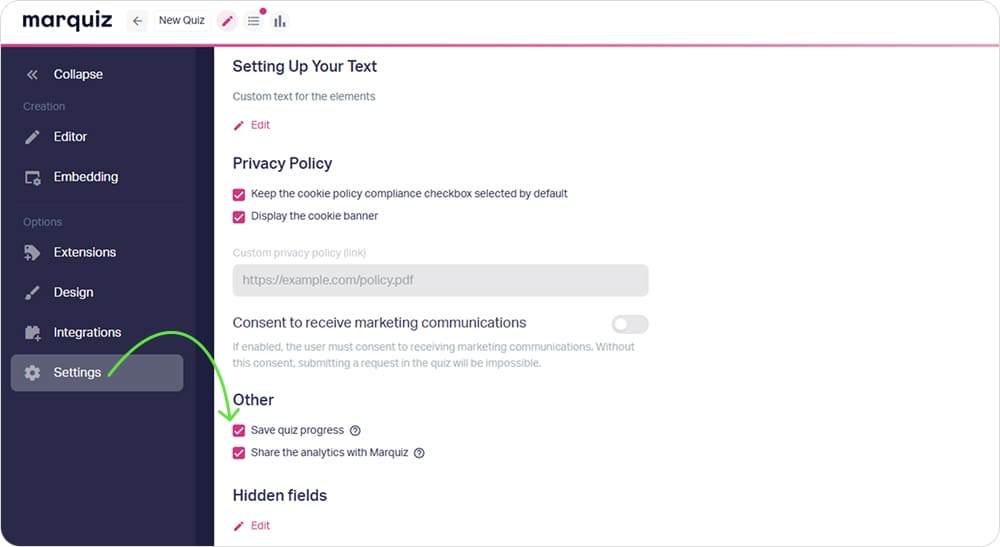
💡 To avoid duplicate submissions, the “Save quiz progress” feature comes in handy.
Manual user blocking (IP and fingerprint)
This feature lets you block a user manually by:
– IP address
– Fingerprint (a browser signature that’s unique to each device)
Once a user is on the blocklist, they can no longer take your quiz and submit contact information.
How to set it up:
- Open the Account settings section and scroll down to the IP address blocking field:
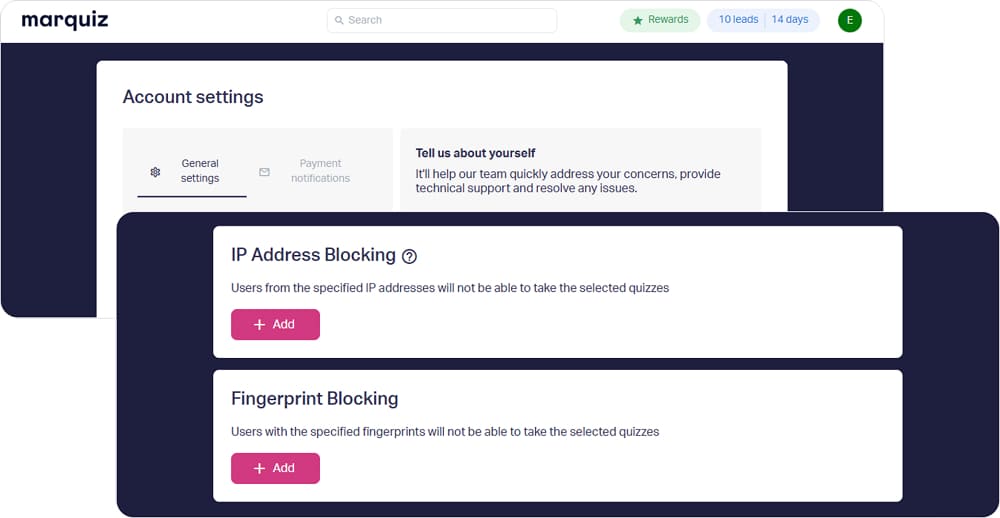
- Enter the IP and the fingerprint ID you want to block.
- Done.
Things to keep in mind:
– Manual blocking is useful for aggressive spammers the automatic system may miss
– With a fingerprint block, the spammer won’t be able to take the quiz even from a different IP, as long as the device or browser stays the same
– IP blocking can sometimes affect entire networks (an office or a VPN, for example), so double-check the data you enter
Google reCAPTCHA v3
The invisible Google reCAPTCHA v3 analyzes a visitor’s behavior and determines whether there’s a human in front of the screen or a bot. If the activity looks suspicious, the quiz blocks the submission, with no extra tasks for the user.
Useful when:
– You want invisible form protection with no extra steps for the user
How to set it up:
- Create your keys in the Google reCAPTCHA Admin Console: choose the “Score based (v3)” type and add the domain mrqz.to.
- In the quiz editor, open the “Integrations tab” → “Miscellaneous” → “Captcha”.
- Select “Google reCAPTCHA” and enter the Client Key (Site Key) and the Server Key (Secret Key).
- Tick the “Add to the contact form” checkbox and save the quiz.
Things to keep in mind:
– Only Google reCAPTCHA v3 is supported
– You can set the sensitivity level (Score) in the integration. We recommend starting with 0.1–0.3 and raising it only if you get a high volume of spam submissions
– 0.5 is a moderate protection level, and 0.7 or higher is for targeted spam
New anti-spam mechanism (beta)
This new feature is still in beta testing. It’s an extra layer of protection that filters spam at the behavioral level, and it’s smarter than a standard CAPTCHA. For now, we enable the new mechanism selectively, for individual quizzes.
How to enable anti-spam:
-
Send the following information to our support team:
– the email address of your account
– the IDs of the quizzes that get the most spam -
The team will turn on anti-spam for those quizzes.
-
After that, check whether submissions come through correctly and decide whether to roll the protection out to all your quizzes.
How to contact support:
– By email: support@marquiz.io
– On Facebook: https://www.facebook.com/try.marquiz/
– Via the live chat on the website (see the chat icon in the bottom right corner of the screen)
Things to keep in mind:
– While the mechanism is in beta testing, we turn it on manually on request
💡 If you have enough traffic but the lead quality leaves much to be desired, this article will help you: How to improve lead quality and conversion rate