
How quiz branching filters out disqualified leads
Hi, I’m Rustem Mazitov — marketer, founder of the Dirbix agency, and a Marquiz expert. I want to show you an easy way to raise the quality of the leads coming out of your quiz, so your sales team only gets the ones worth calling.
The difference between a linear quiz and a branching quiz
Most marketing quizzes are linear: everyone answers the same questions in the same order. Usually the results aren’t set up either, so the whole thing is a series of questions with a contact form at the end.
That’s neither good nor bad. In most cases, it’s just a weak quiz.
Example: A company installs ventilation systems. B2B only.
Option 1: a linear quiz. If your ad settings are the only thing standing between you and the wrong audience, homeowners also fill in that form. Lots of B2C leads guaranteed. And then it snowballs:
❌ B2C visitors leave their contact details
❌ your analytics tool counts each one as a completed goal and passes it back to your ad platform
❌ the algorithms go looking for more people just like them
❌ every one of them comes off your lead balance, because the contact is in your database
❌ your sales reps grumble about burning their time on the wrong people
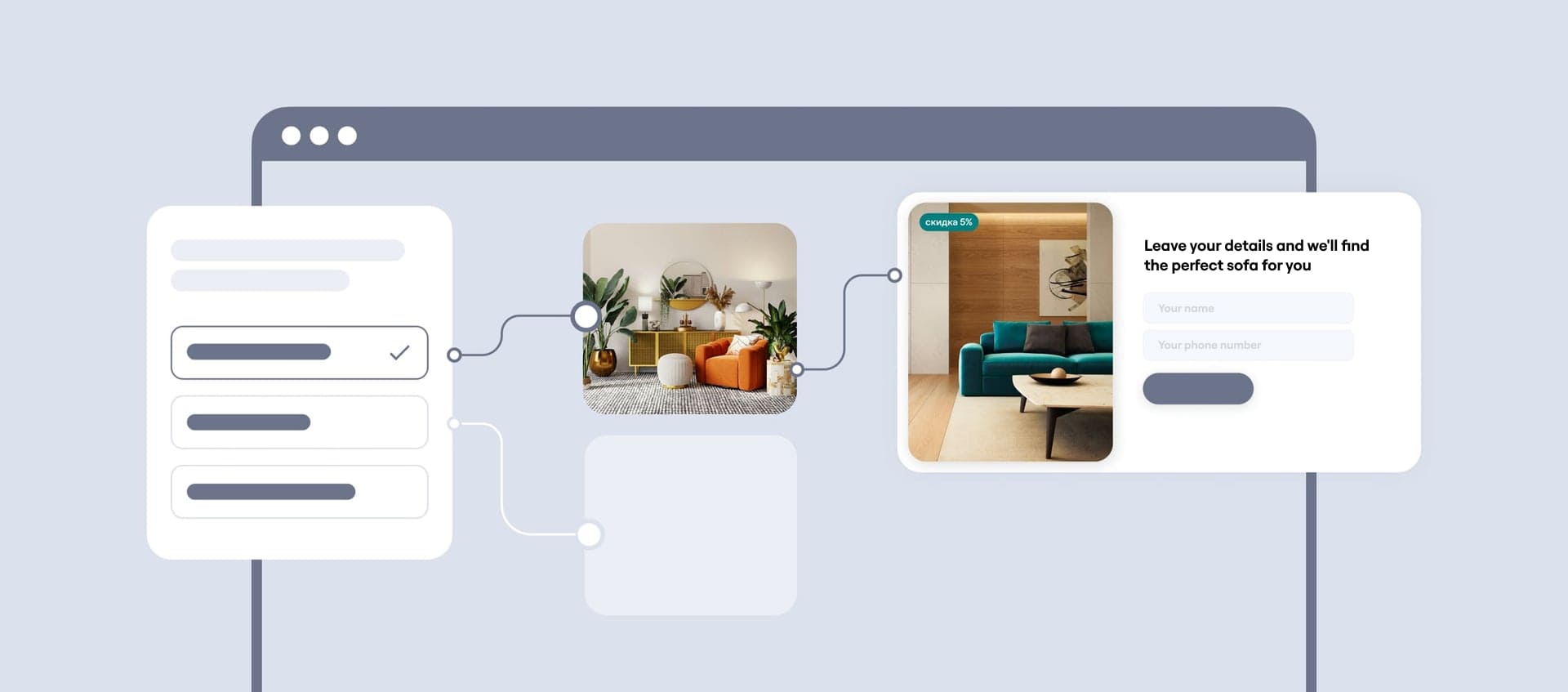
Option 2: a branching quiz. You decide which answers mark someone as a bad fit. For ventilation work, we cut off anyone who picks “In an apartment”:
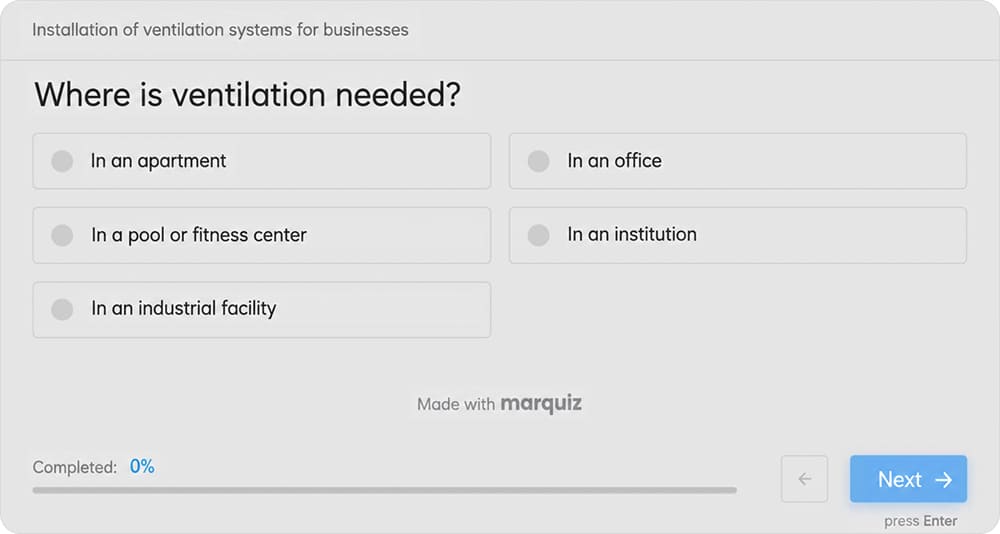
After that question, the visitor doesn’t go to a result page or a contact form. They go to a disqualification page you’ve set up in advance. It’s a version of the “Thank you” page, so you can use it to explain politely why the product doesn’t suit them and leave a phone number in case they need you later.
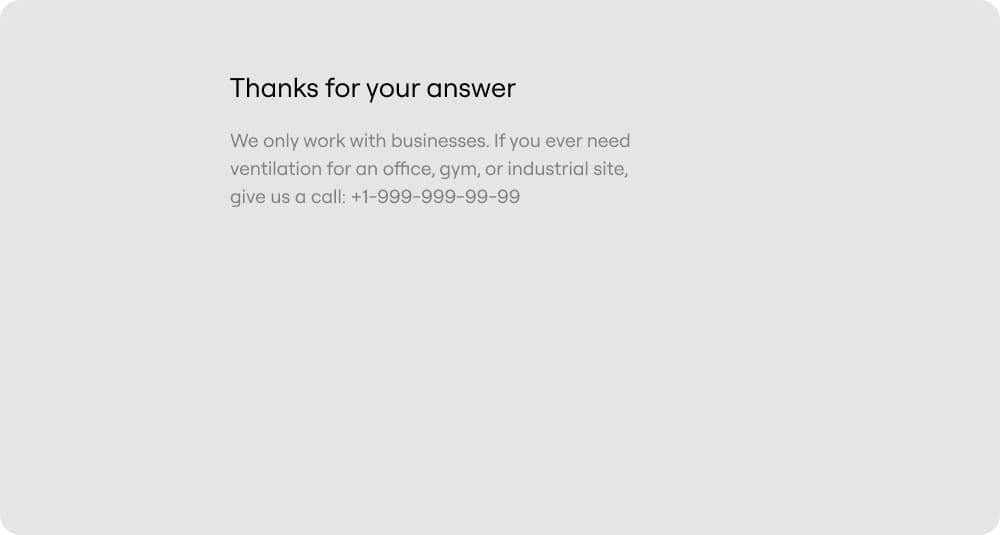
You can put a button on that page pointing to your site or your social media, or you can leave it bare. Either way, it’s the last screen this segment sees. They get a polite ending, while everyone else carries on down the normal path.
You can split visitors on any question that matters to you:
- budget (you only take jobs “starting at …”)
- timing (someone who’s just browsing and can’t name a date is usually there to ask, not to buy)
- and so on
What you get:
✅ the quiz ends and the bad-fit inquiry never gets sent
✅ your sales team never sees it
✅ your lead balance stays where it is
✅ your ads don’t learn from the wrong audience
Simple and effective.
Spam is a headache for anyone running paid search right now, and a branch that dead-ends helps with that too.
💡 Want a Marquiz expert to build an ad campaign around your quiz? Take a short quiz, and we’ll match you with the right one.
Get lots
of leads — steadily
and affordably
A quiz delivers better results —
no extra ad budget needed

How to set up branching that segments your leads
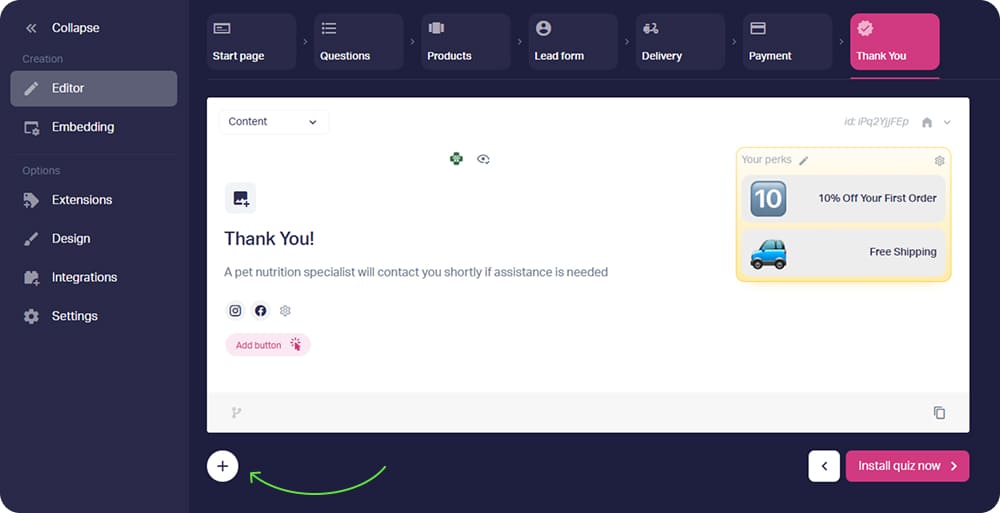
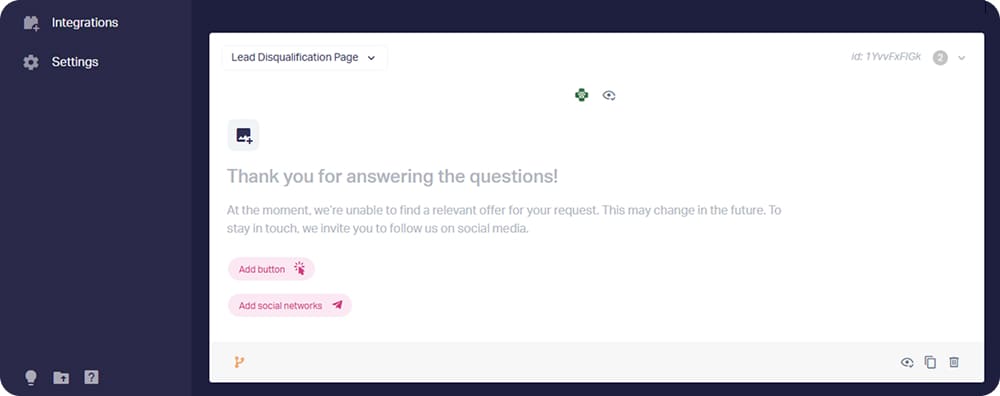
Marquiz lets you branch questions and “Thank you” pages alike. When you want to cut people off rather than just push them down the queue, add a second “Thank you” page, switch it to Lead Disqualification Page mode, and show it on a condition.
Add the second “Thank you” page and set the condition that triggers it as a Lead Disqualification Page:
That’s it 🙌
💡 Step-by-step instructions: disqualification page for the lead quiz
By the way, you can also set up different questions, results, and contact forms depending on user answers.
A quiz is a simple tool, quick to build and not expensive to run. A lot of people underestimate it. They build elaborate pages, add captchas, put COMMERCIAL PROPERTIES ONLY in capitals at the top, and individual homeowners keep coming anyway. A quiz sorts it out with none of that effort.
Rustem Mazitov
Marketer, founder of the Dirbix agency and a Marquiz expert