Twilio integration
How to set up quiz integration with Twilio SMS
Connect Twilio to your quiz and every new lead gets your SMS within seconds of leaving their phone number.
Before we start: to integrate your quiz with Twilio, you need to have a working Twilio account.
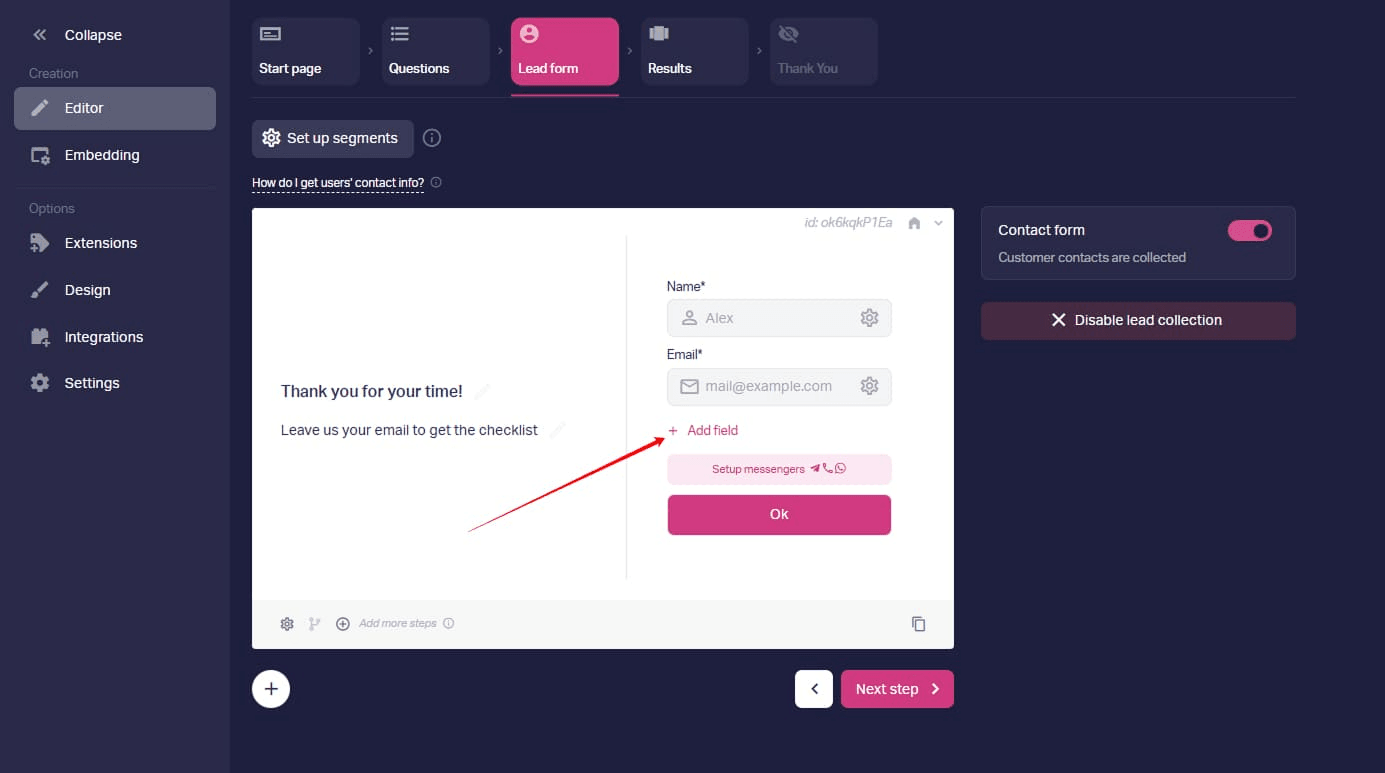
1. Open your quiz in the editor and go to the Lead form step — this is where the contact form lives. If there is no Phone field yet, click Add field. If the Phone field is already in the form, click the gear icon next to it to open the settings.
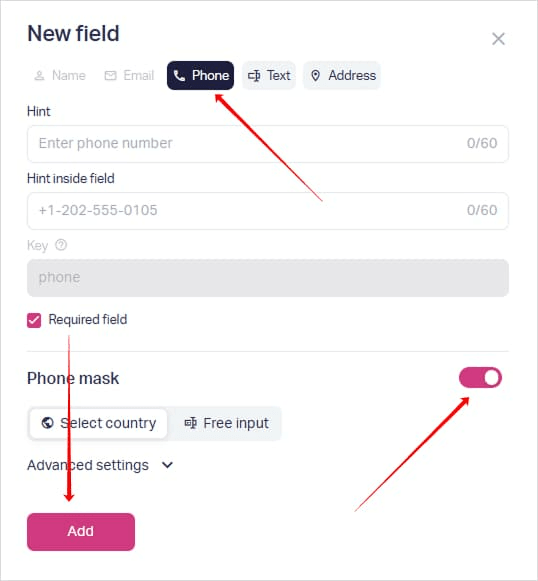
Choose Phone in the New field dialog and check if the Phone mask toggle is on: it keeps incoming numbers in one format. If the toggle is off, activate it. Click Add.
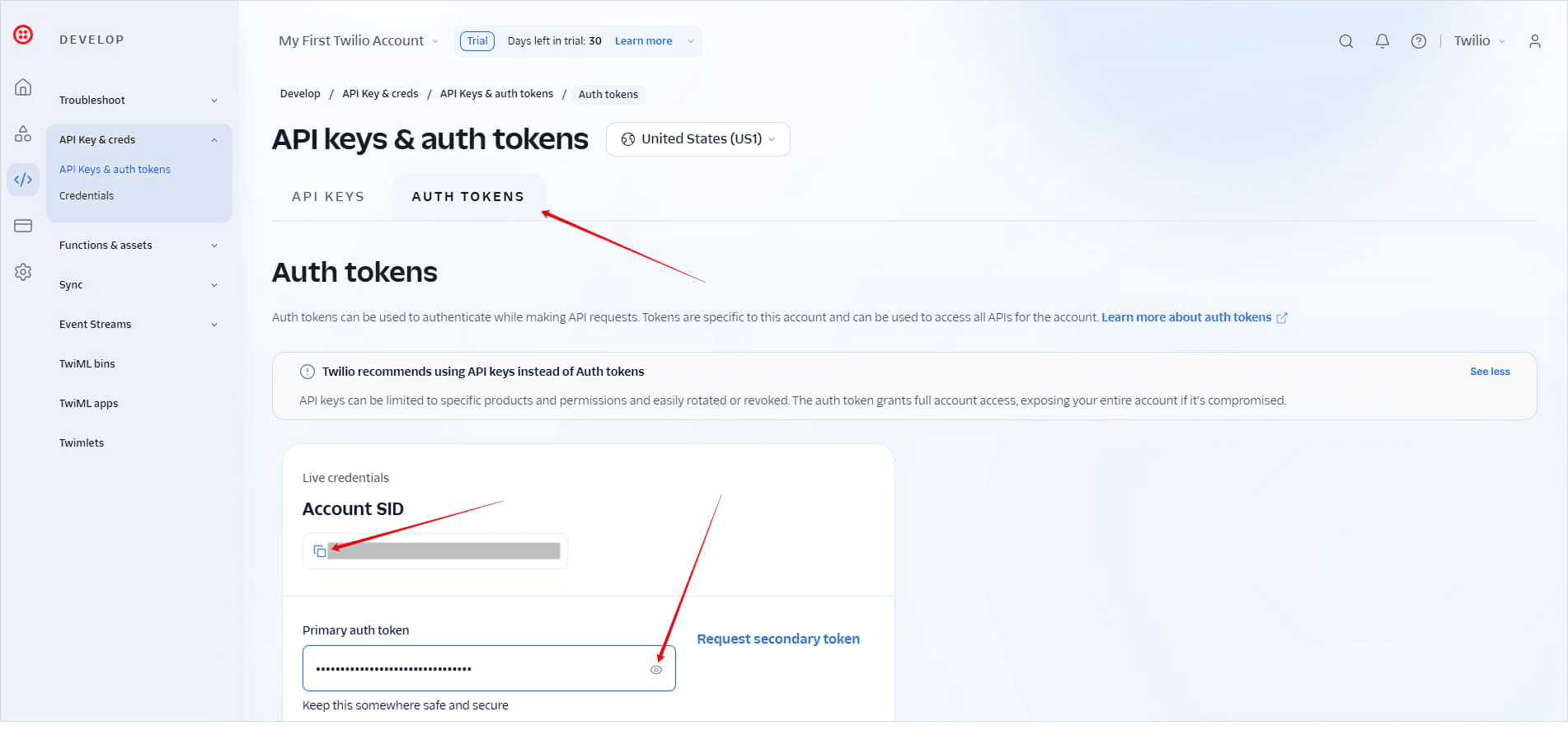
2. Sign in to Twilio Console in another tab and open API Keys & auth tokens → the Auth tokens tab. In the Live credentials section, copy your Account SID and your Primary auth token.
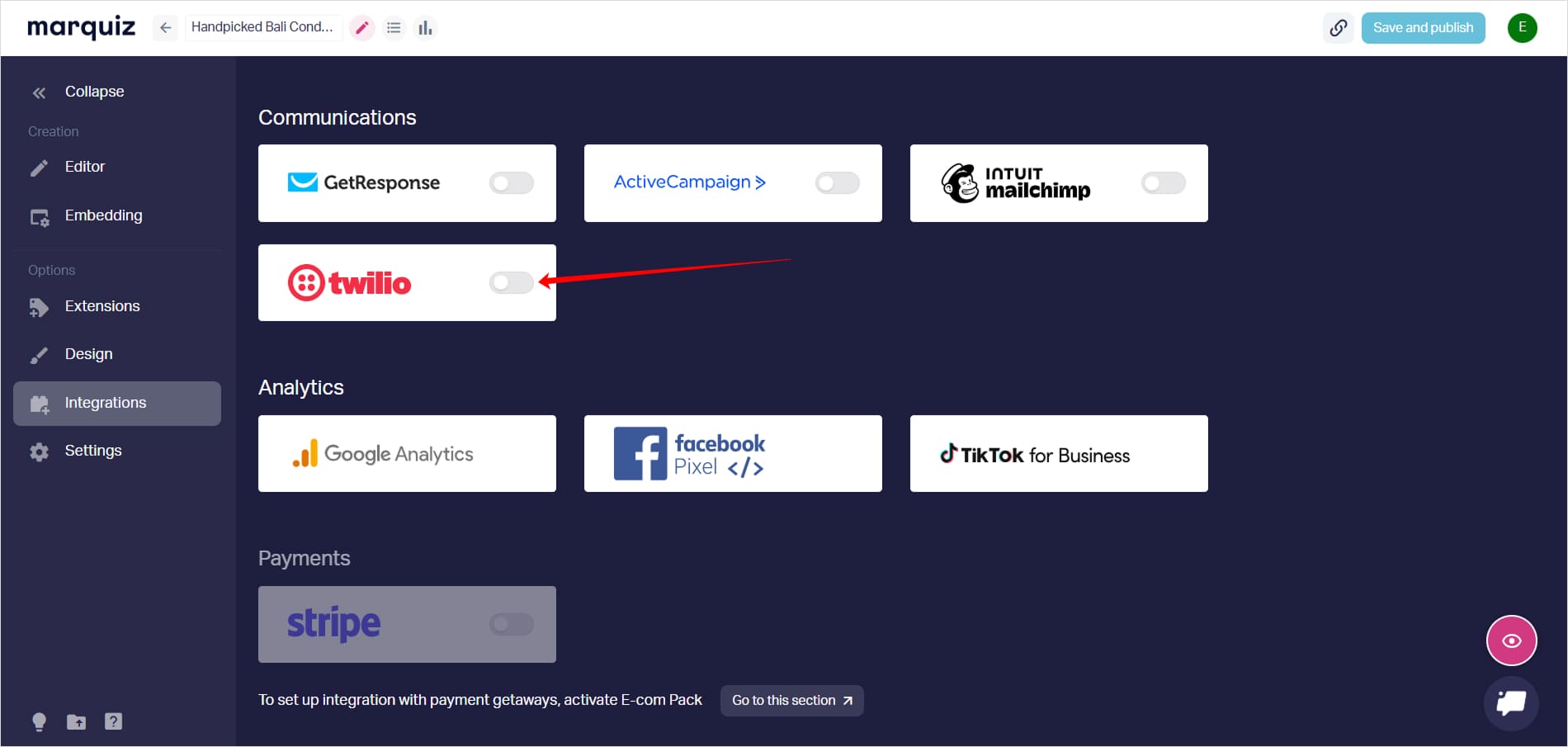
3. Go back to the Marquiz editor, open the Integrations tab, find twilio in the Communications section and turn the toggle on — the Twilio SMS panel slides out.
4. In the Twilio SMS panel, paste the Primary auth token into the Auth Token field, and the Account SID into the Account Sid field. Copy both in full — one extra space and the connection fails.
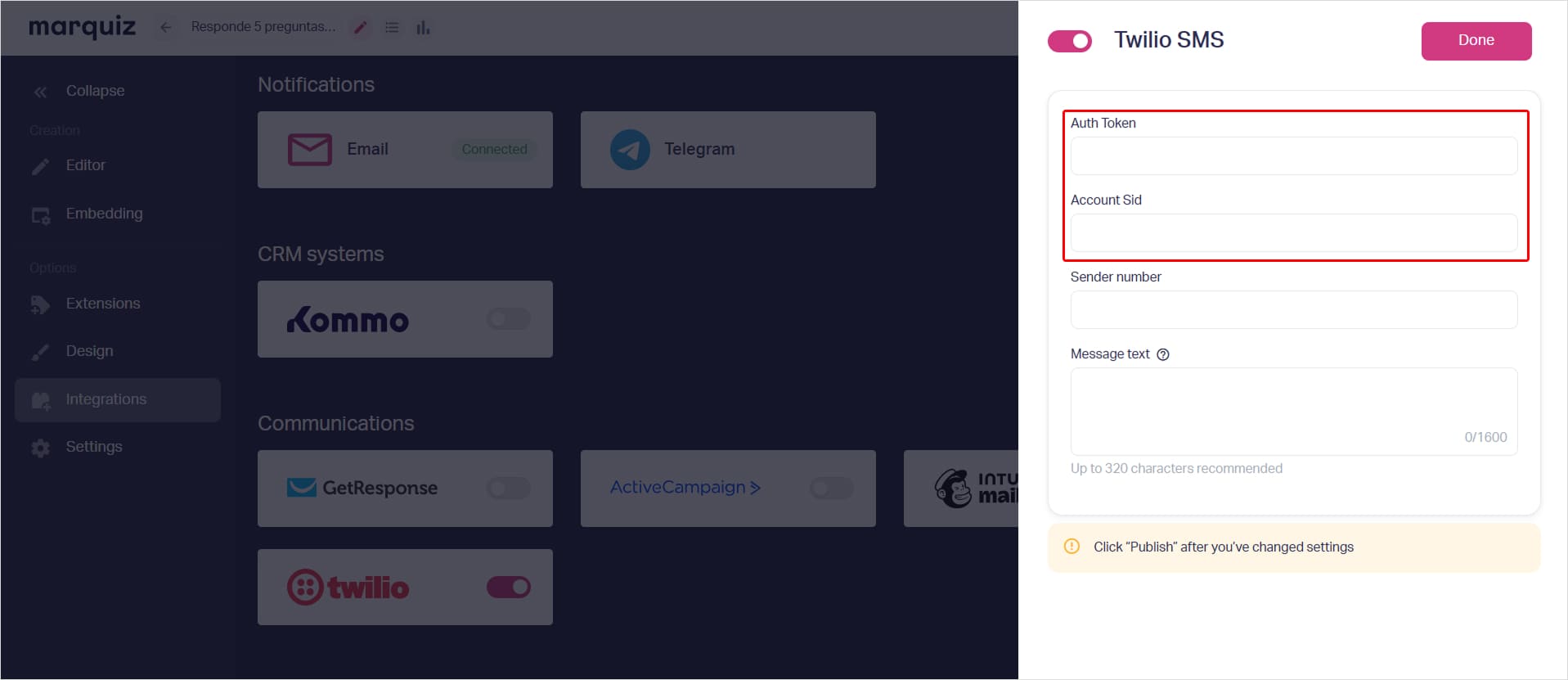
5. In the Sender number field, enter the Twilio number you send from. In the Message text field, write your message: up to 1,600 characters, though 320 is the recommended limit. To personalize it, add a field key like [name] or [phone] — you’ll find each key in that field’s settings — or type @ to insert an answer from a question. A key works only when that field is on in your contact form.
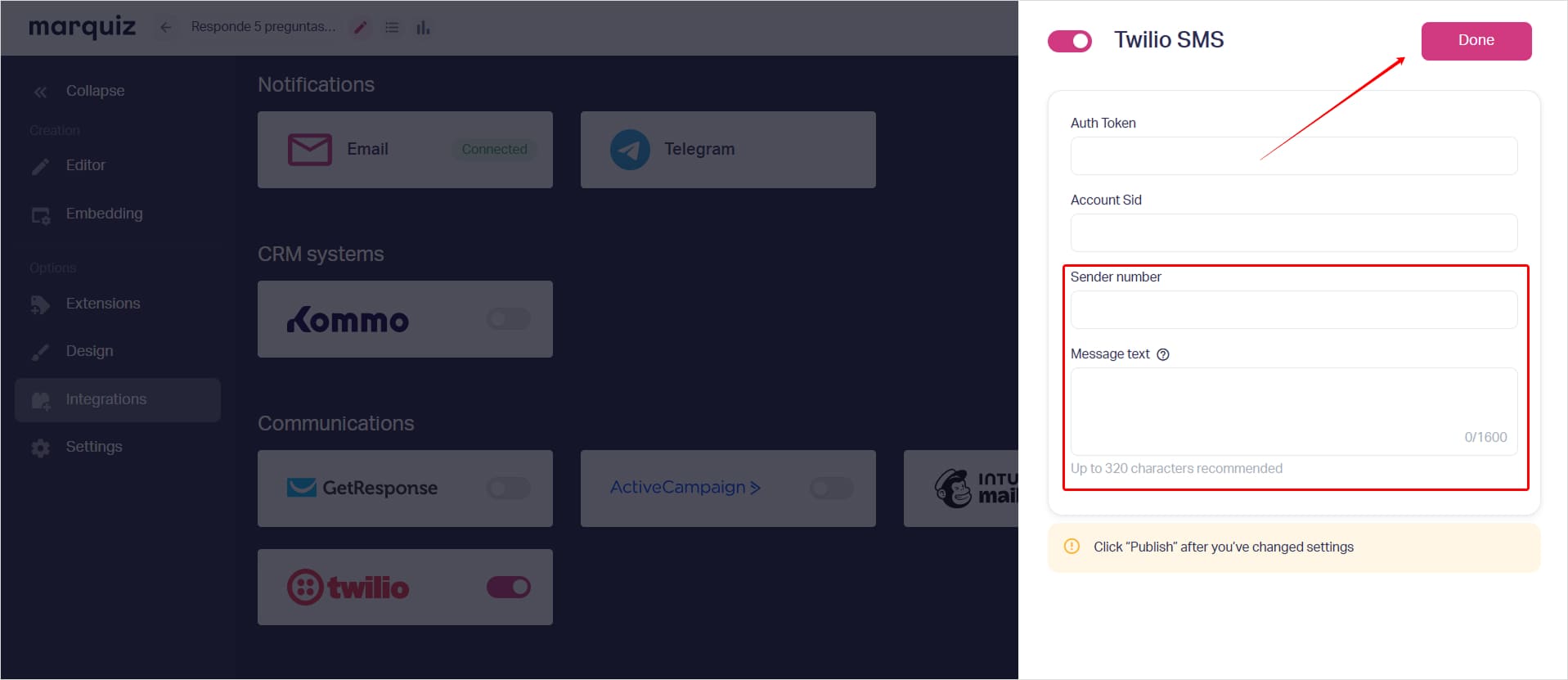
6. Click Done, then Save and publish in the top right. Settings go live only after publishing.
That’s it. Every new lead now gets your SMS. The panel has no test button, so check it by hand: open your published quiz, go through it and leave your own number in the contact form. The message should arrive in a few seconds.
If the SMS doesn’t arrive:
- check that Account Sid and Auth Token were copied in full, with no extra spaces — this is the most common cause;
- on a trial Twilio account, SMS go only to verified numbers: add yours in Twilio Console under Phone Numbers → Verified Caller IDs, and switch to a paid Twilio account to reach all your leads;
- make sure the number you left in the contact form matches the mask of the country you’re testing with.
See the Integration guides to connect the rest of your stack.