How to integrate a quiz with ActiveCampaign
Step-by-step guide on how to integrate a quiz with ActiveCampaign
Please note that the integration with ActiveCampaign will not work if you don’t have an email field in the contact form.
-
Create an account in ActiveCampaign.
-
Set up Stages and Pipeline in the Deals tab.
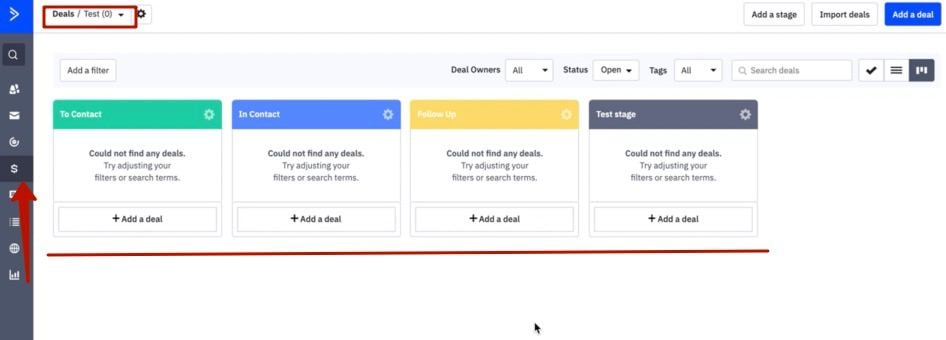
-
Create tags in the C****ontacts -> Manage Tags tab.
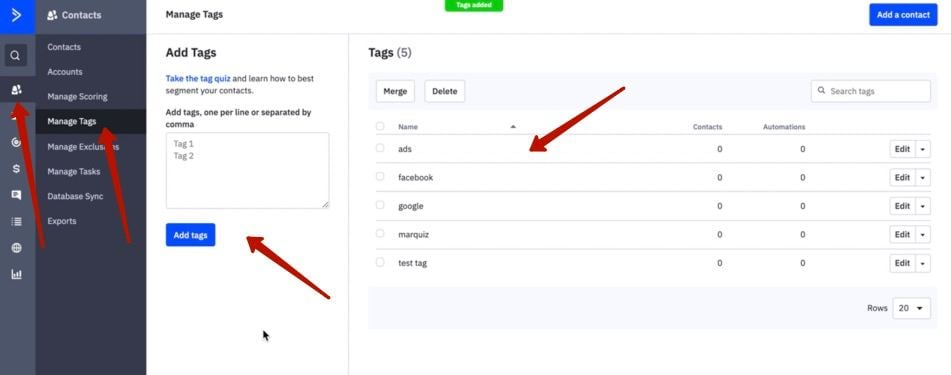
-
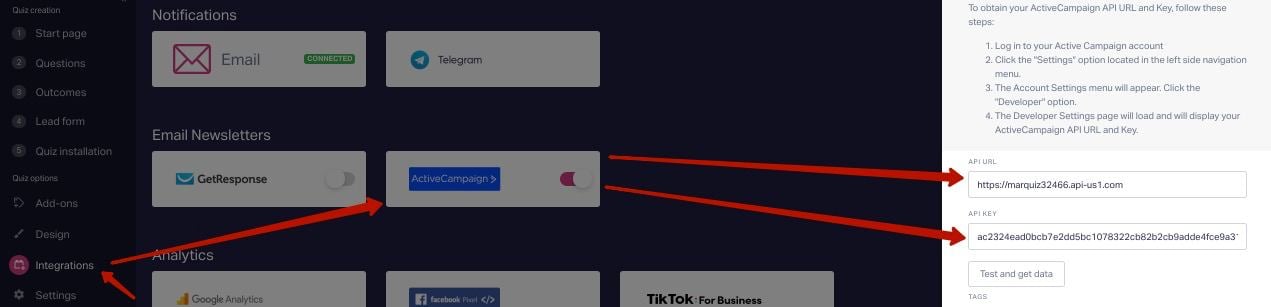
In the S****ettings tab -> Developer, copy URL and an API key.
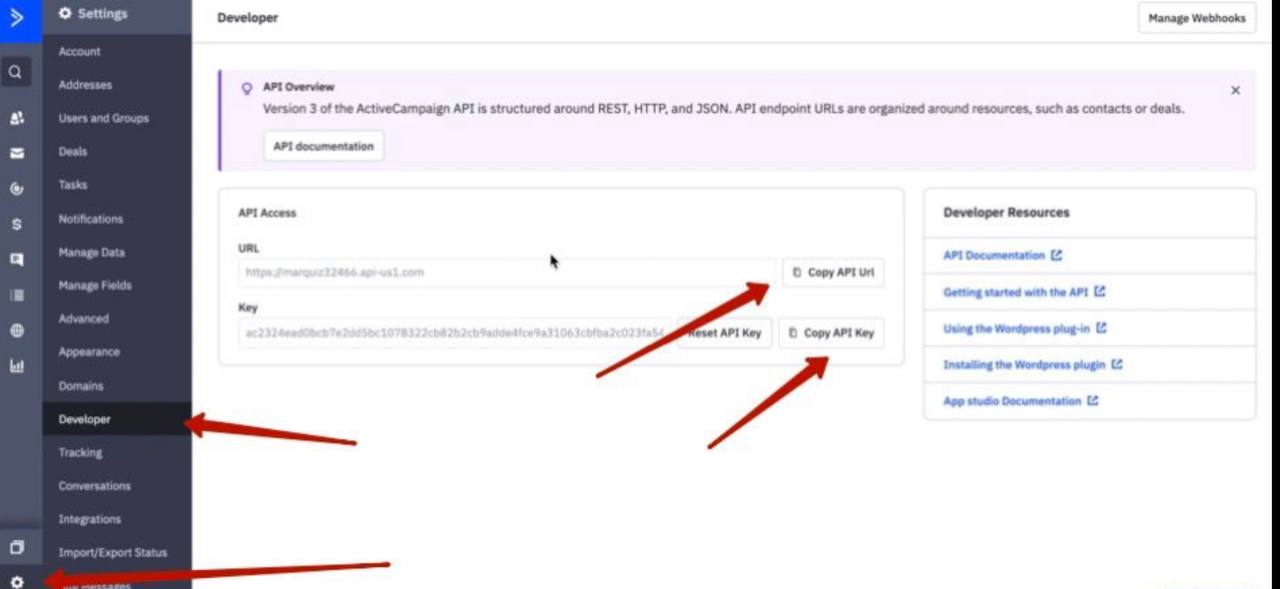
-
Paste the URL and the API key in the integration settings.
-
Click on Test and Get data.
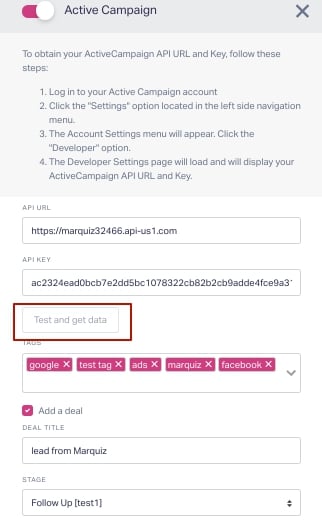
After you have clicked on the Test and Get data button, the data about tags stages and owners will appear in the integration settings.
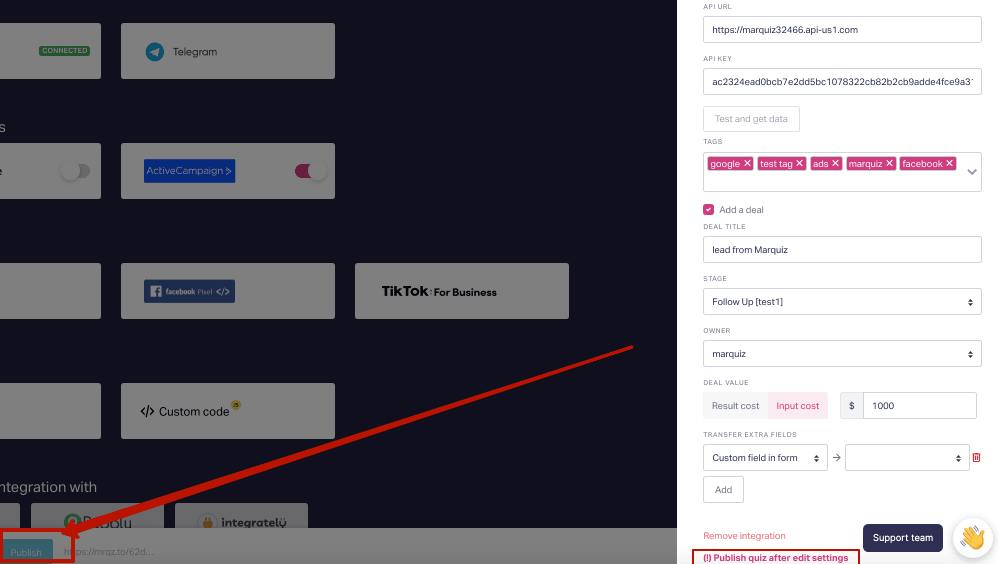
Then you need to Publish the quiz by clicking the Publish button in the lower left corner.
**And it’s done!
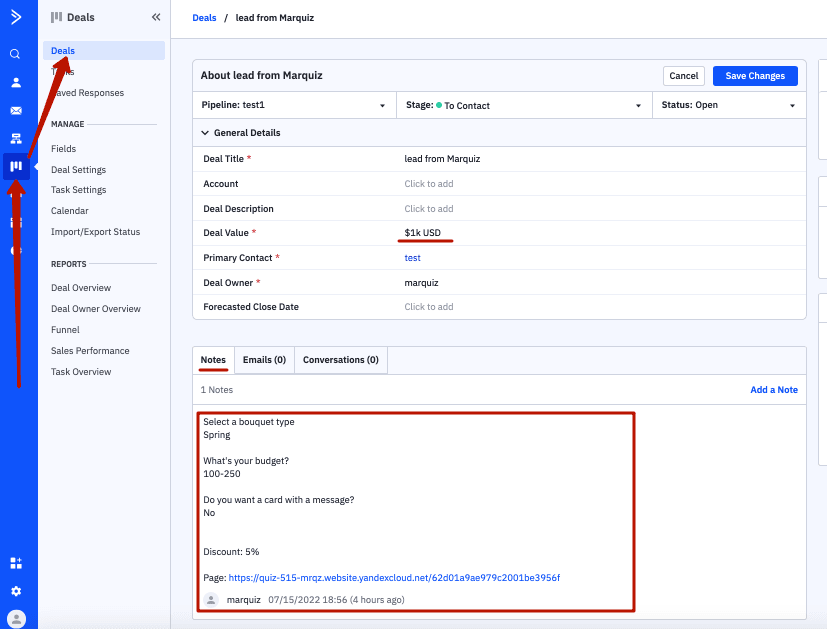
After the new lead is sent, the lead information will appear in the Сontacts section in ActiveCampaign.

By going to the Deals page, you can see the deal price and the deal owner which will be displayed there. Quiz answers will be sent into the N****otes tab.
Video instruction:
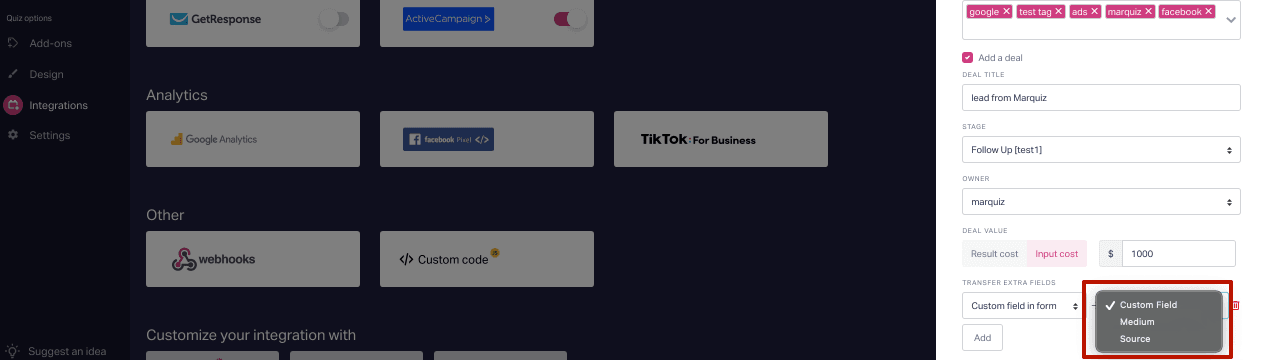
How to transfer extra fields?
To transfer extra fields, you need to set up the fields in ActiveCampaign in the Contacts -> Fields.
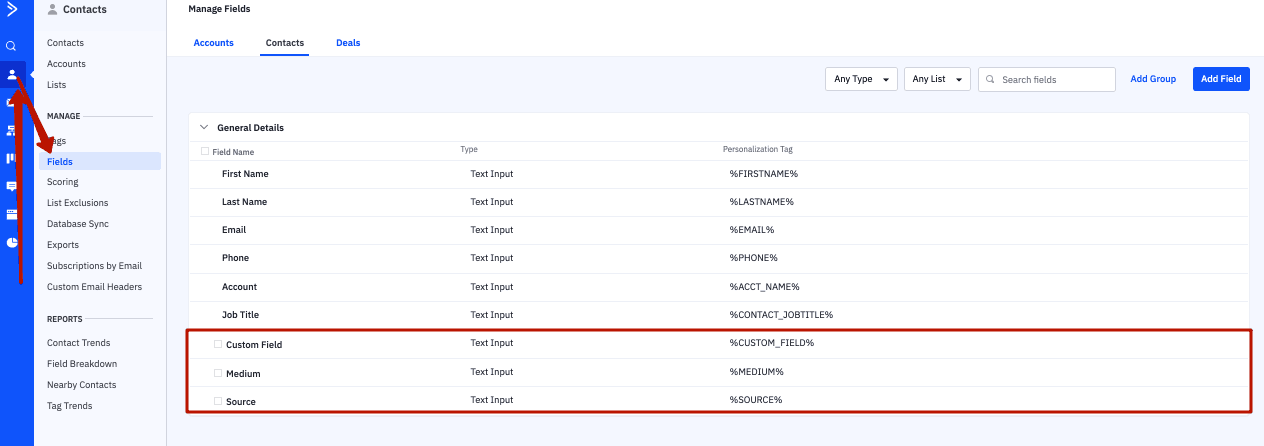
After setting up the integration you will be able to select fields.