How to install a quiz to Thinkific
How to install a quiz to Thinkific
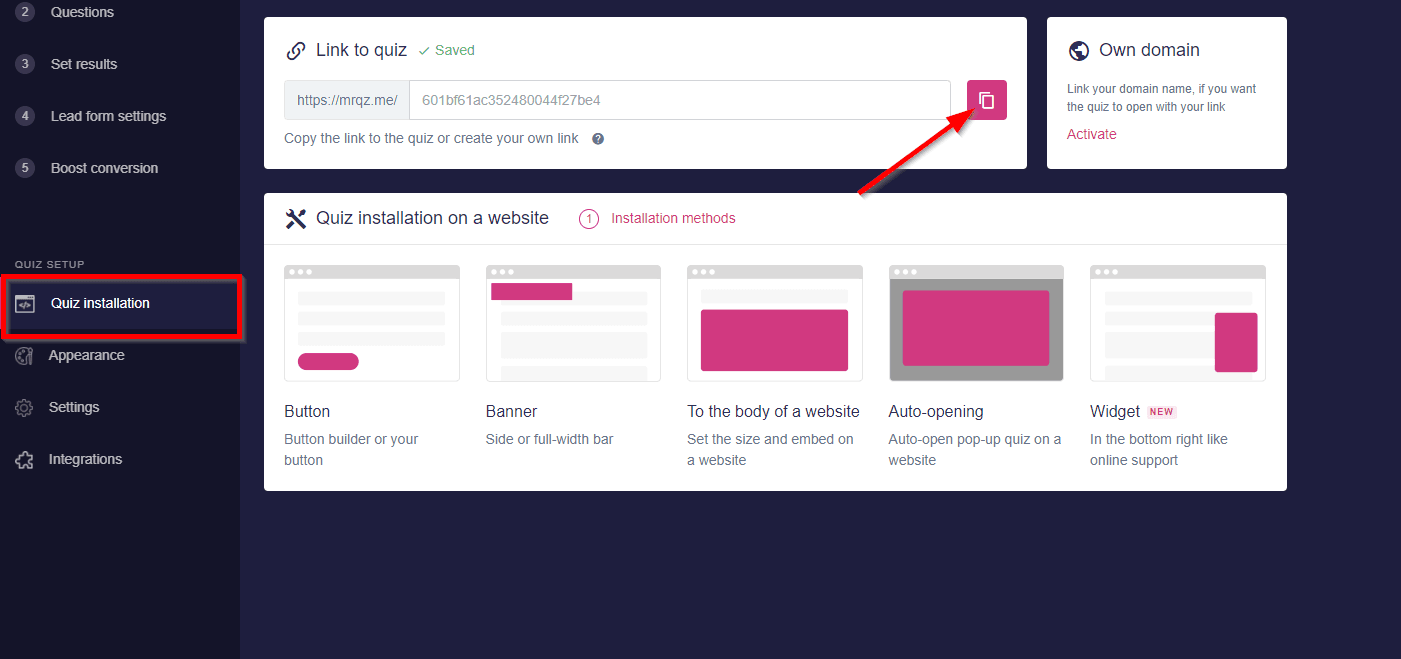
To add a quiz to your Thinkific website you need to copy a direct link to your quiz. You can find it in “Quiz installation”
Login to your Thinkific account, select “DESIGN YOUR SITE”, and click on “Site Builder”

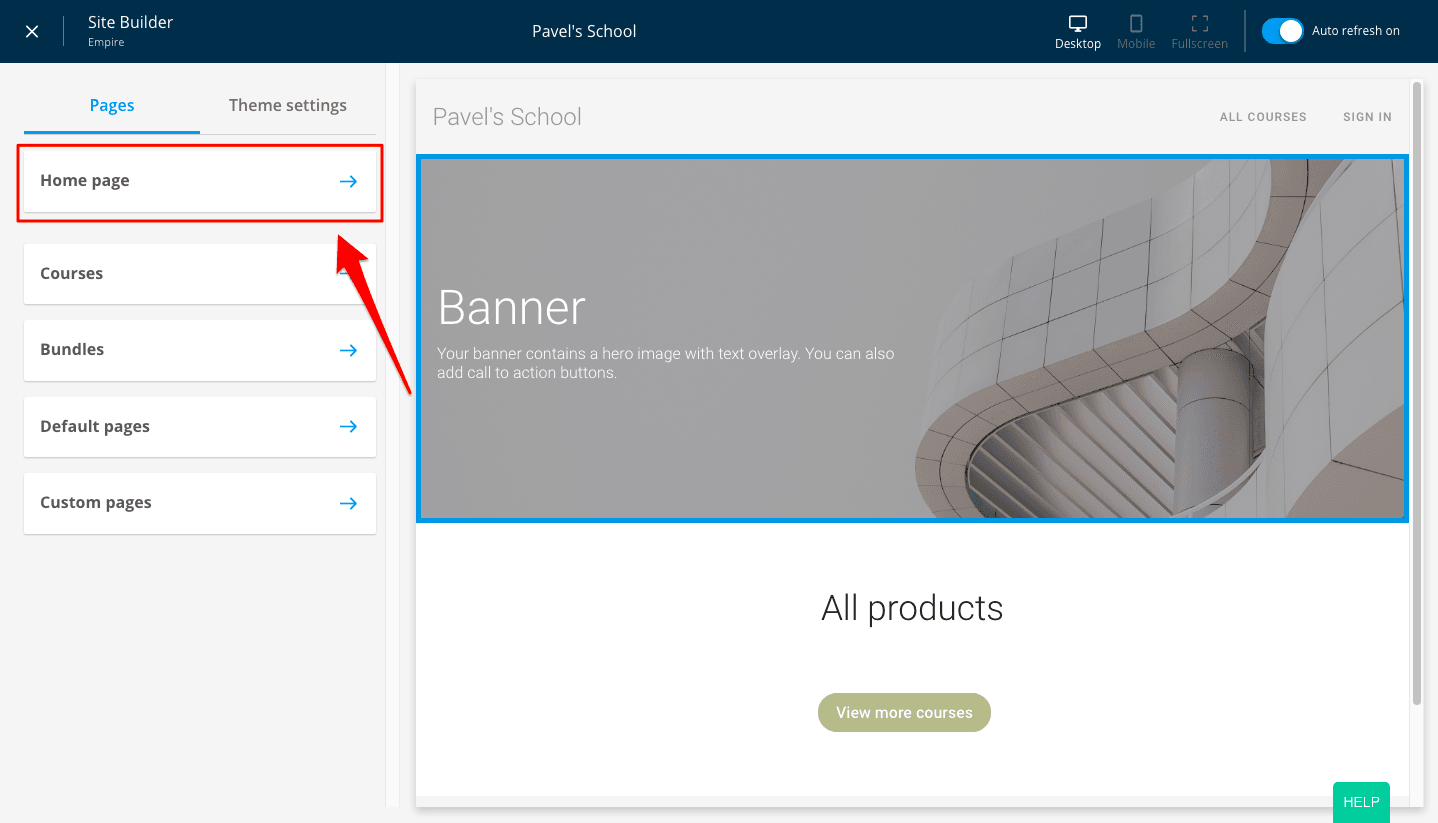
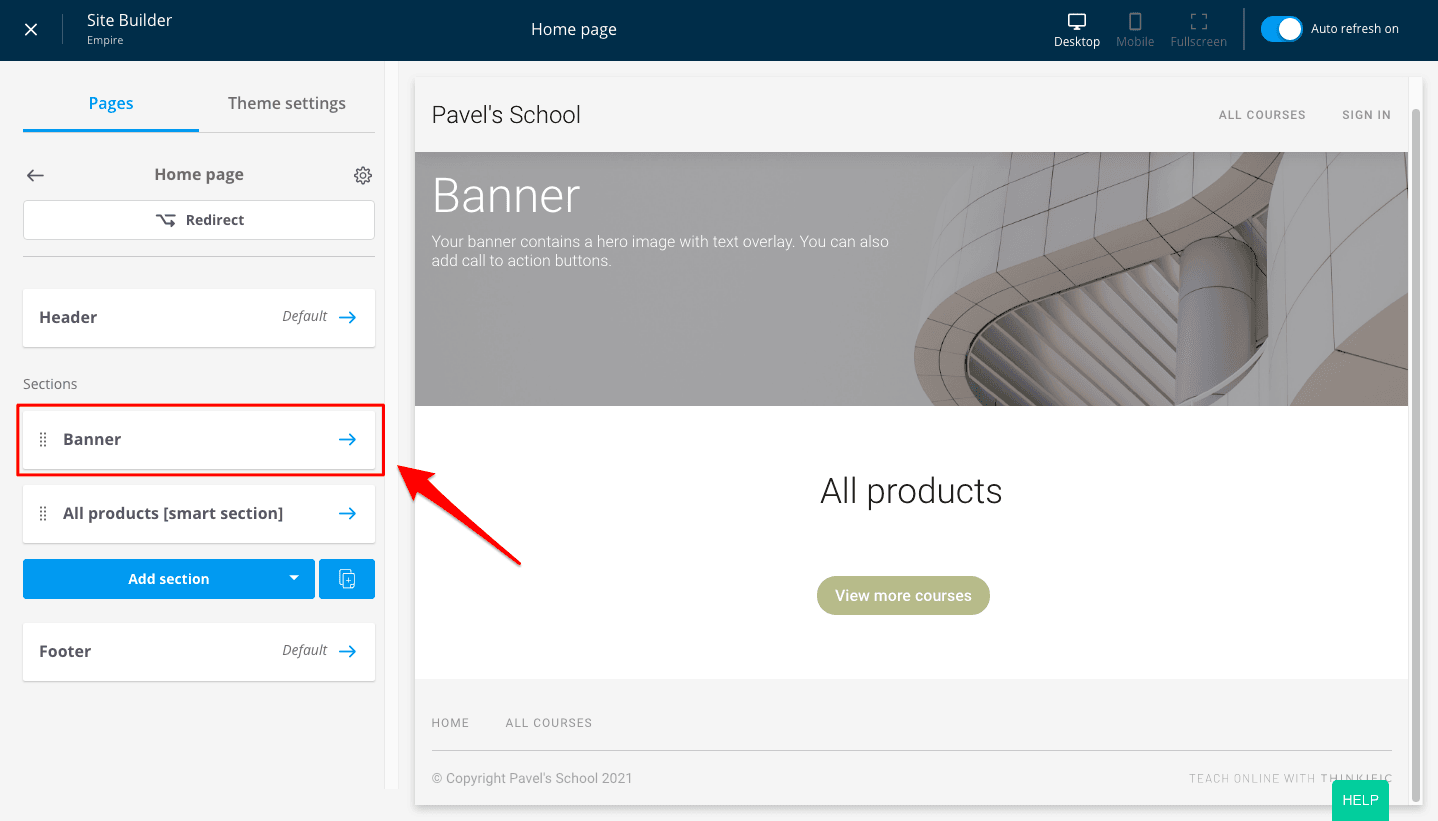
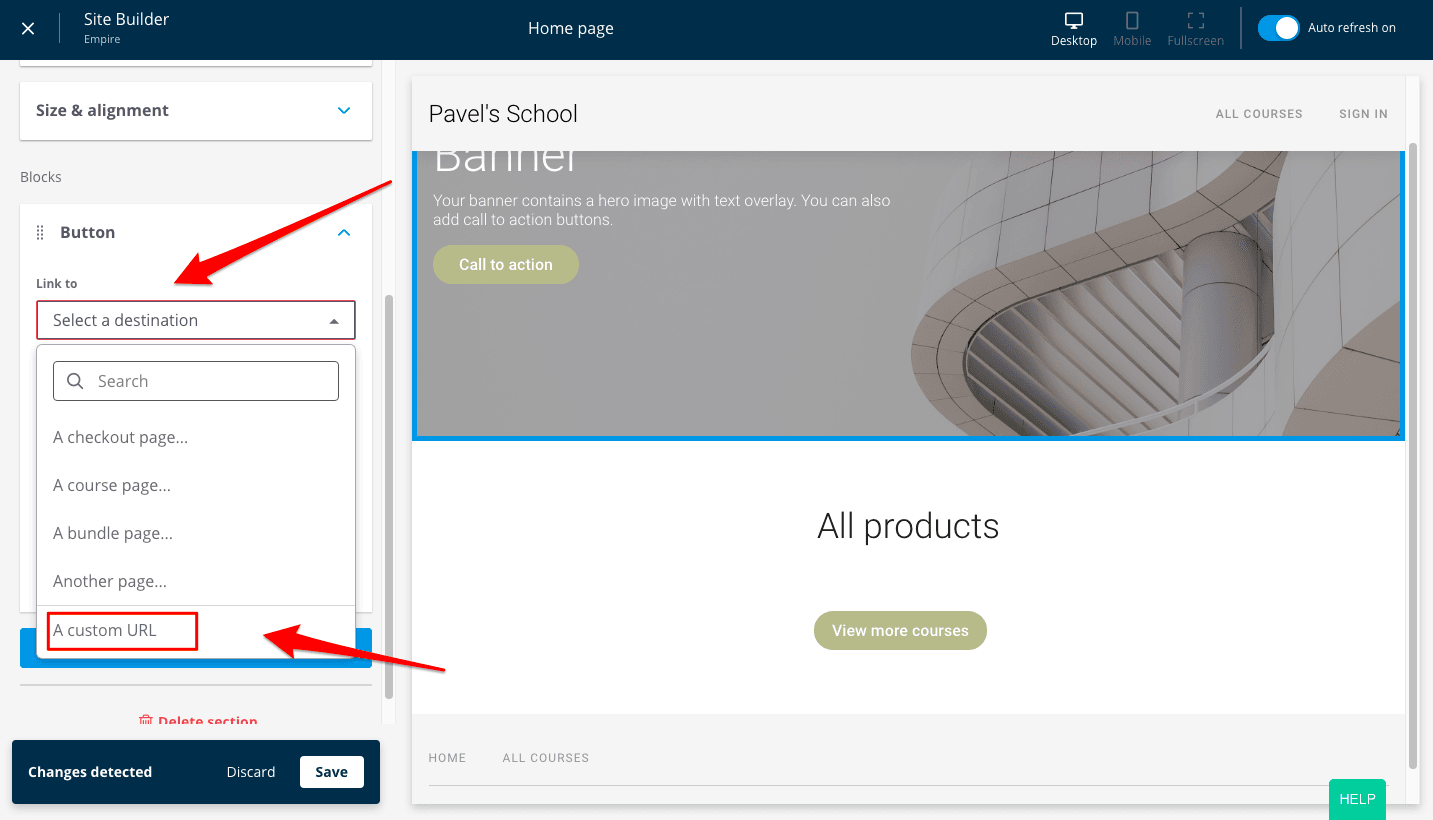
Then follow the path Home page => Banner => Add button
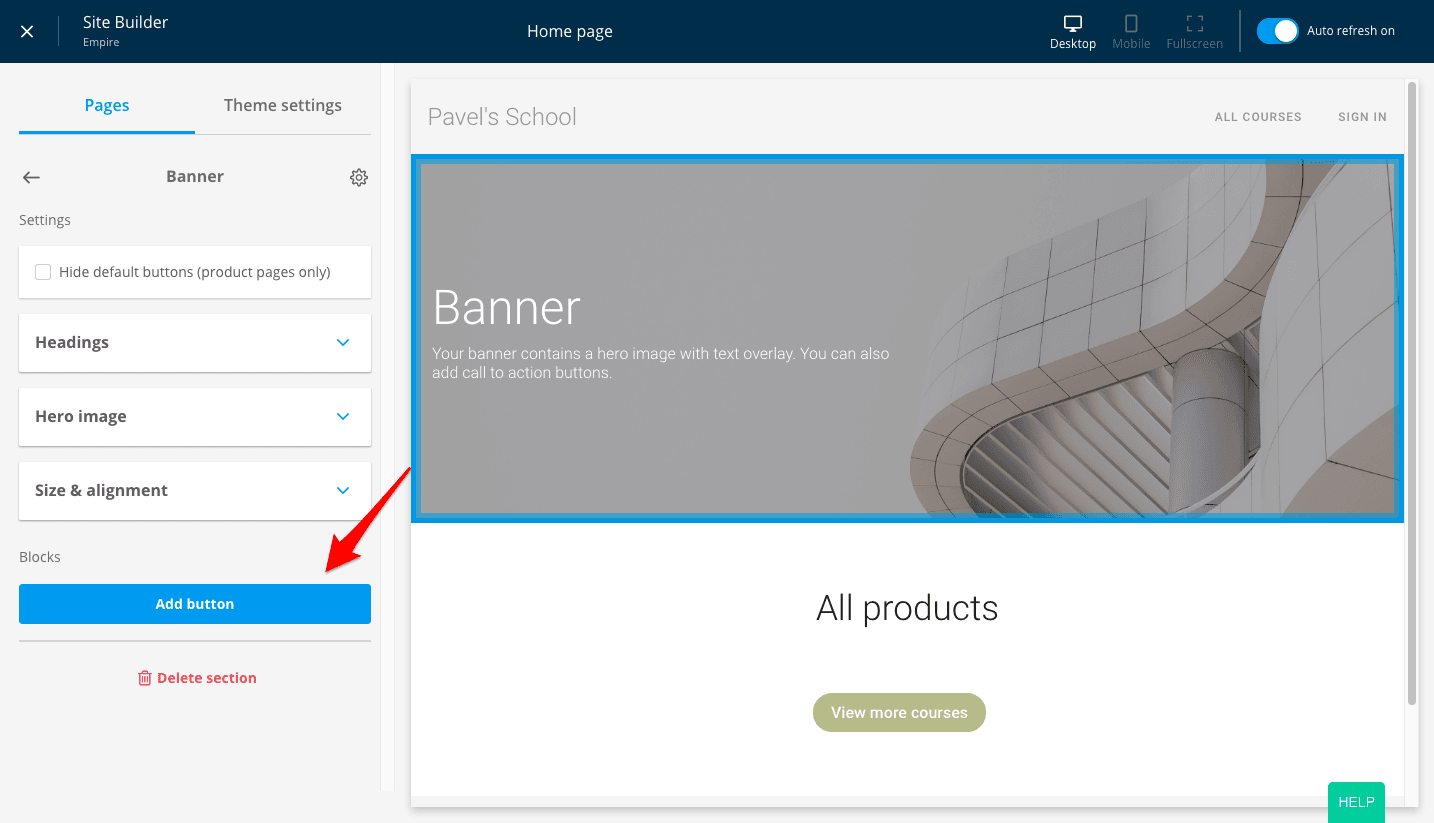
Then, in the “Link to” field select A custom URL in the drop-down menu and paste the direct link to the quiz here.
Click “Save”
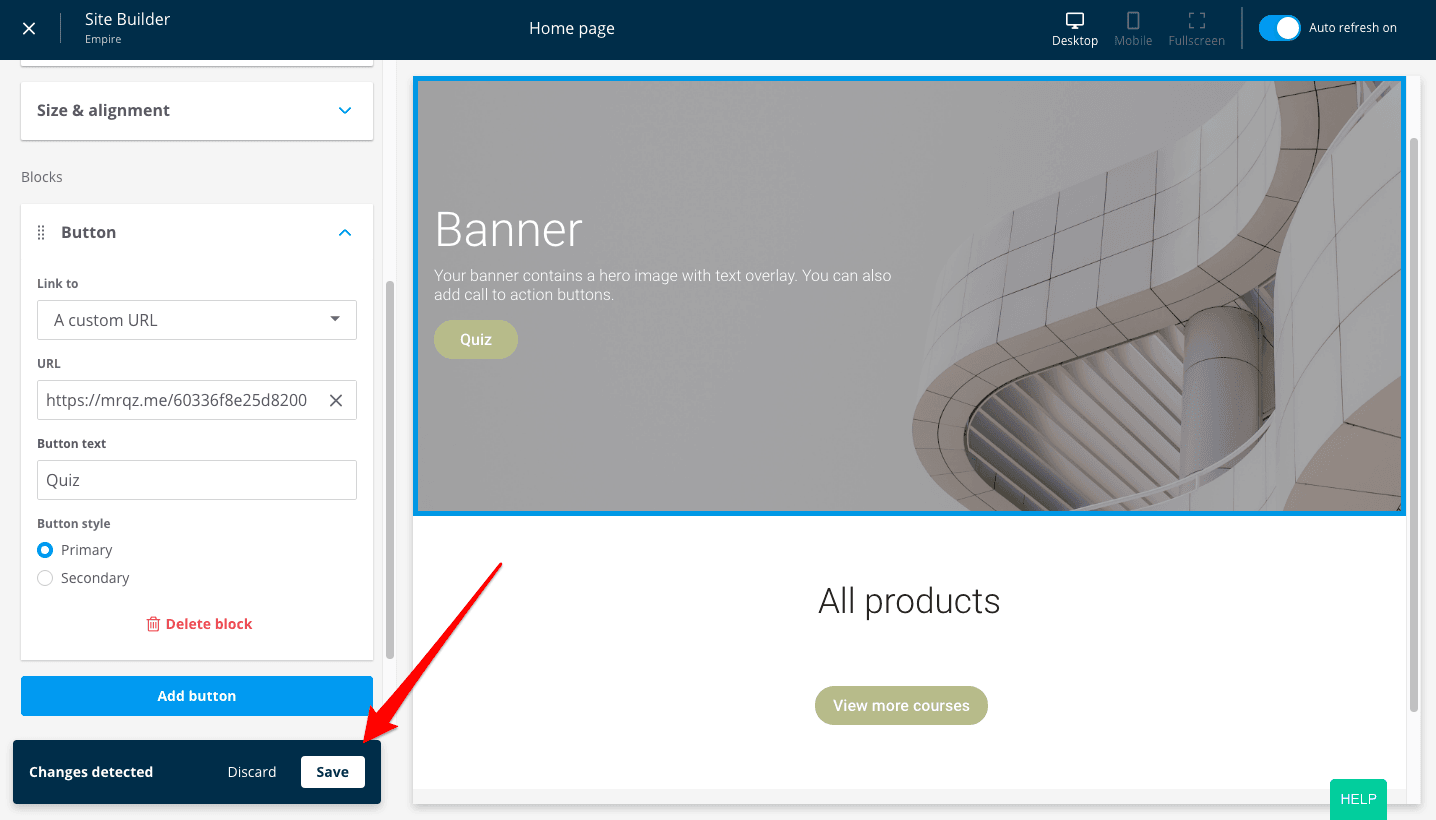
Done! The quiz is installed on Thinkific