How to add a quiz on WordPress
Step-by-step instruction on how to install a quiz on a WordPress website
To install a quiz on a WordPress website you need to:
Open the Quiz installation tab and select the installation type that you want.
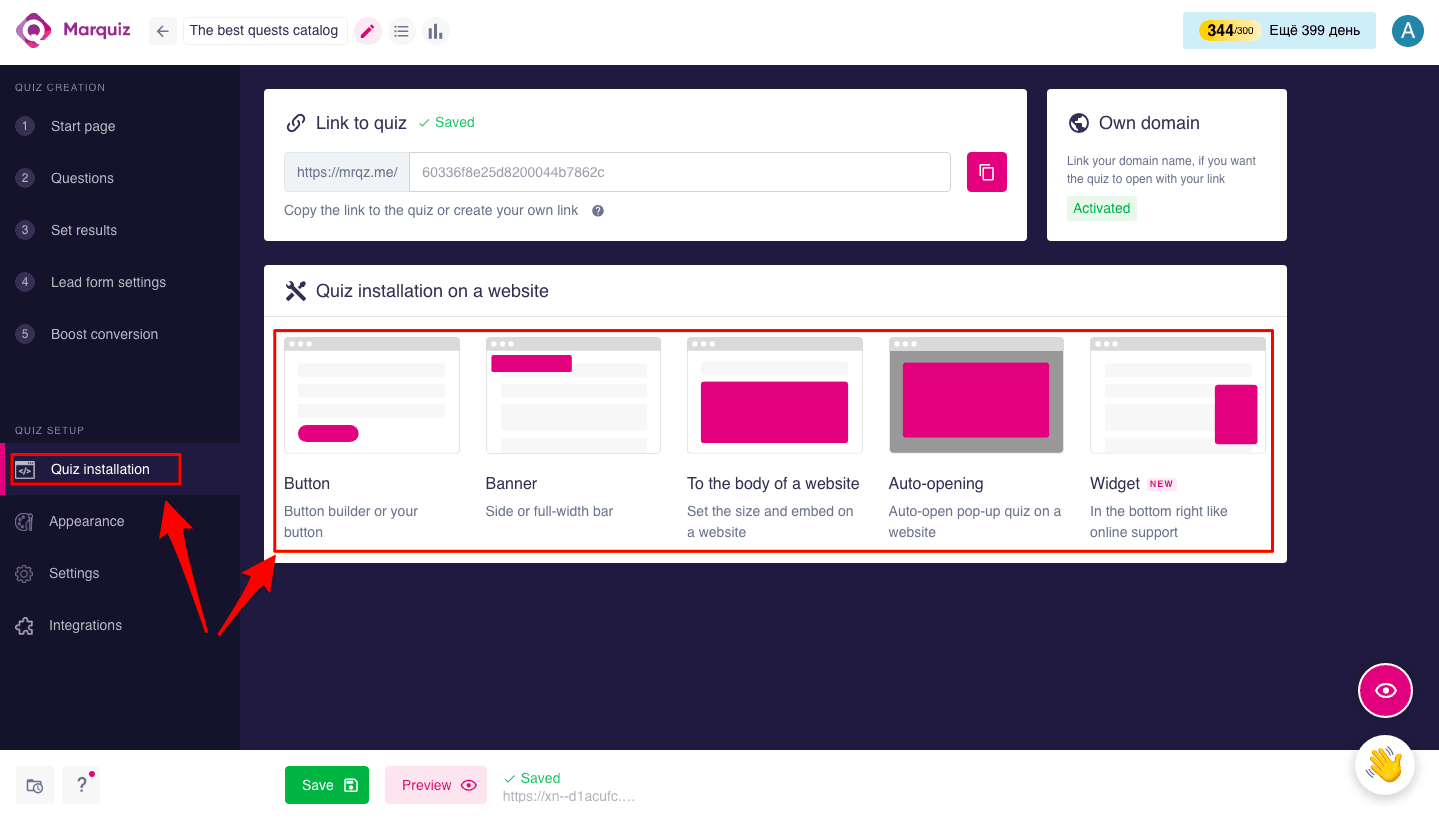
Let’s demonstrate it with Button Designer:
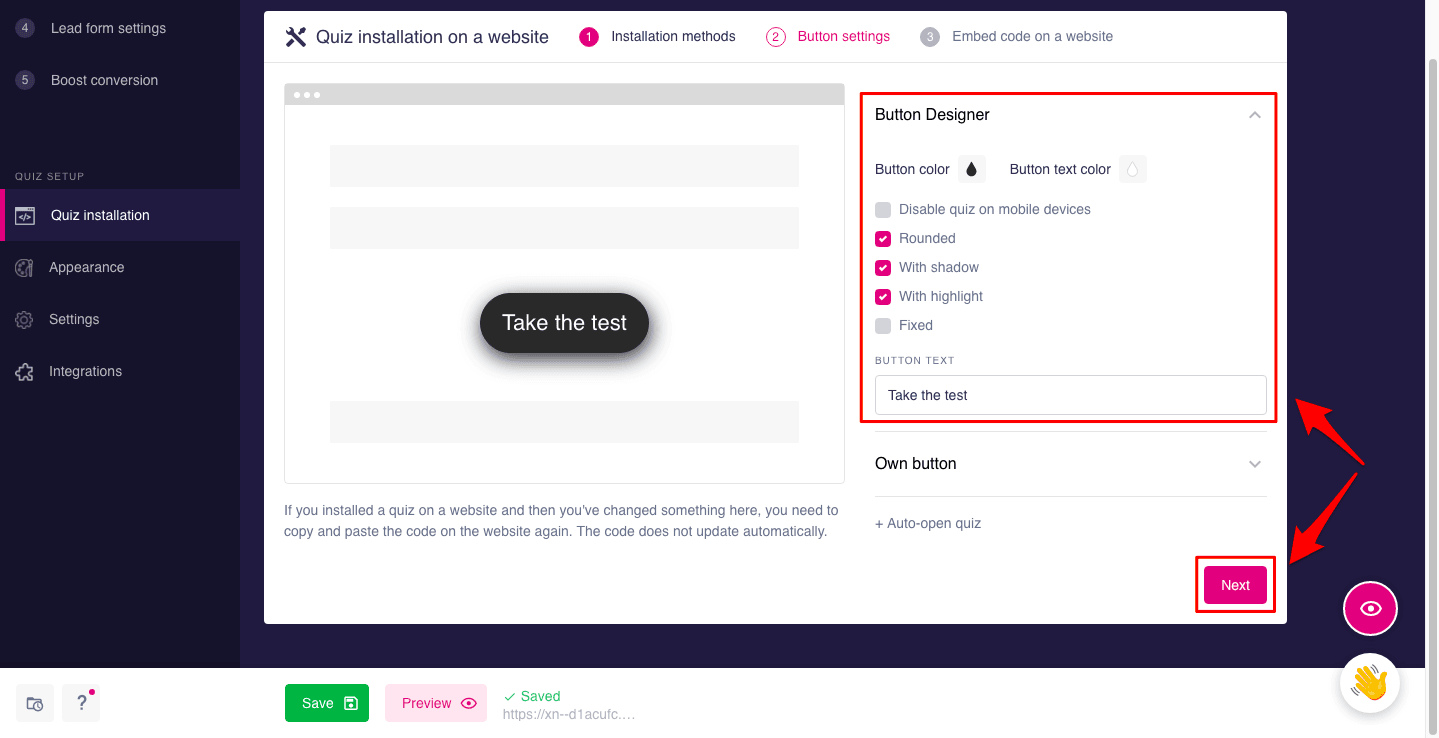
After selecting Button Designer, change the settings the way you want and click Next
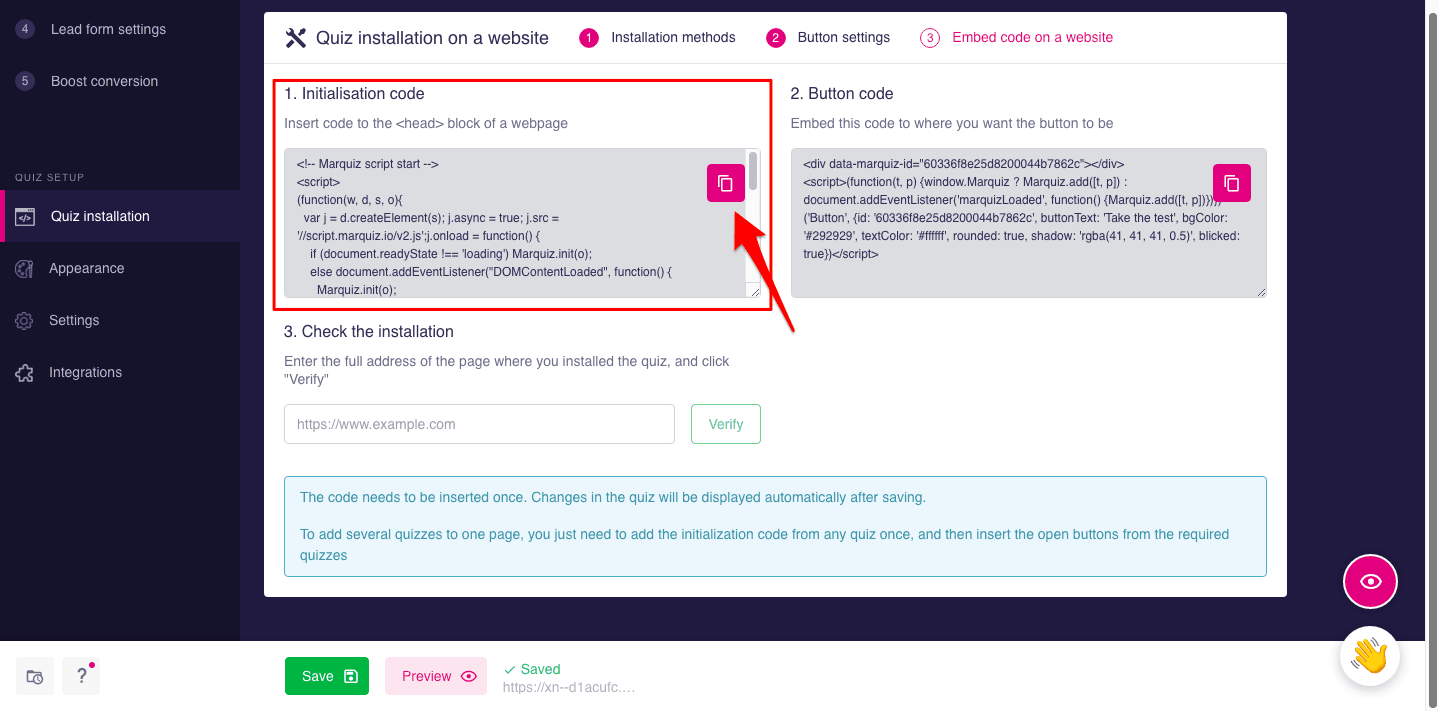
Now copy the **Initialization code
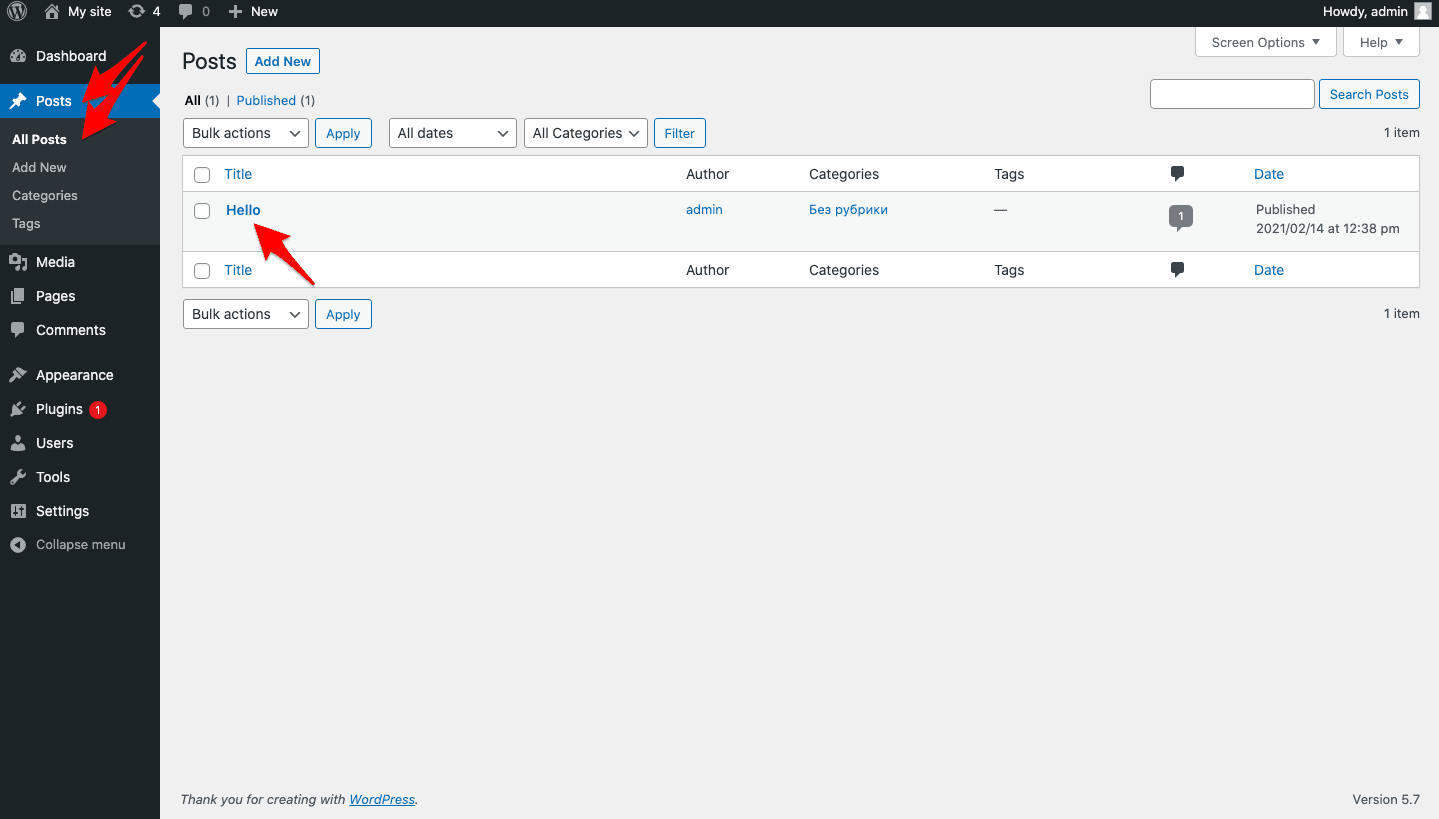
Now open the editor in WordPress and select All Posts in the Posts tab. Choose the post that you need (in this case it’s “Hello”)
Create a new block by clicking on the icon “+”
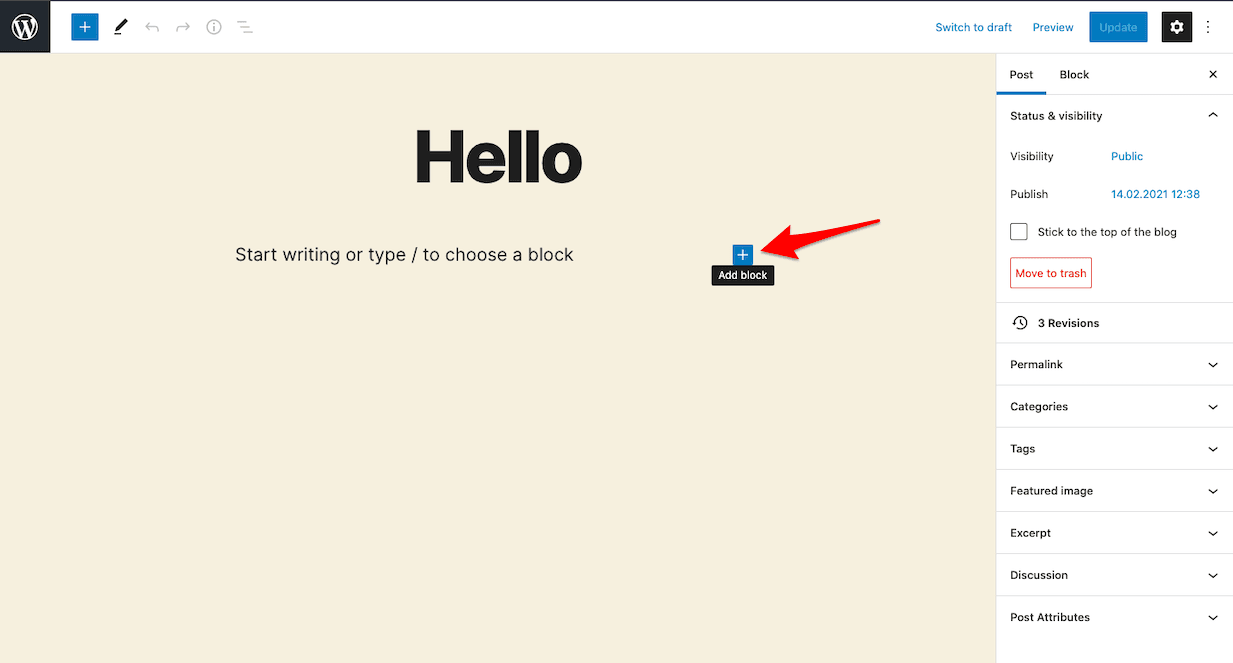
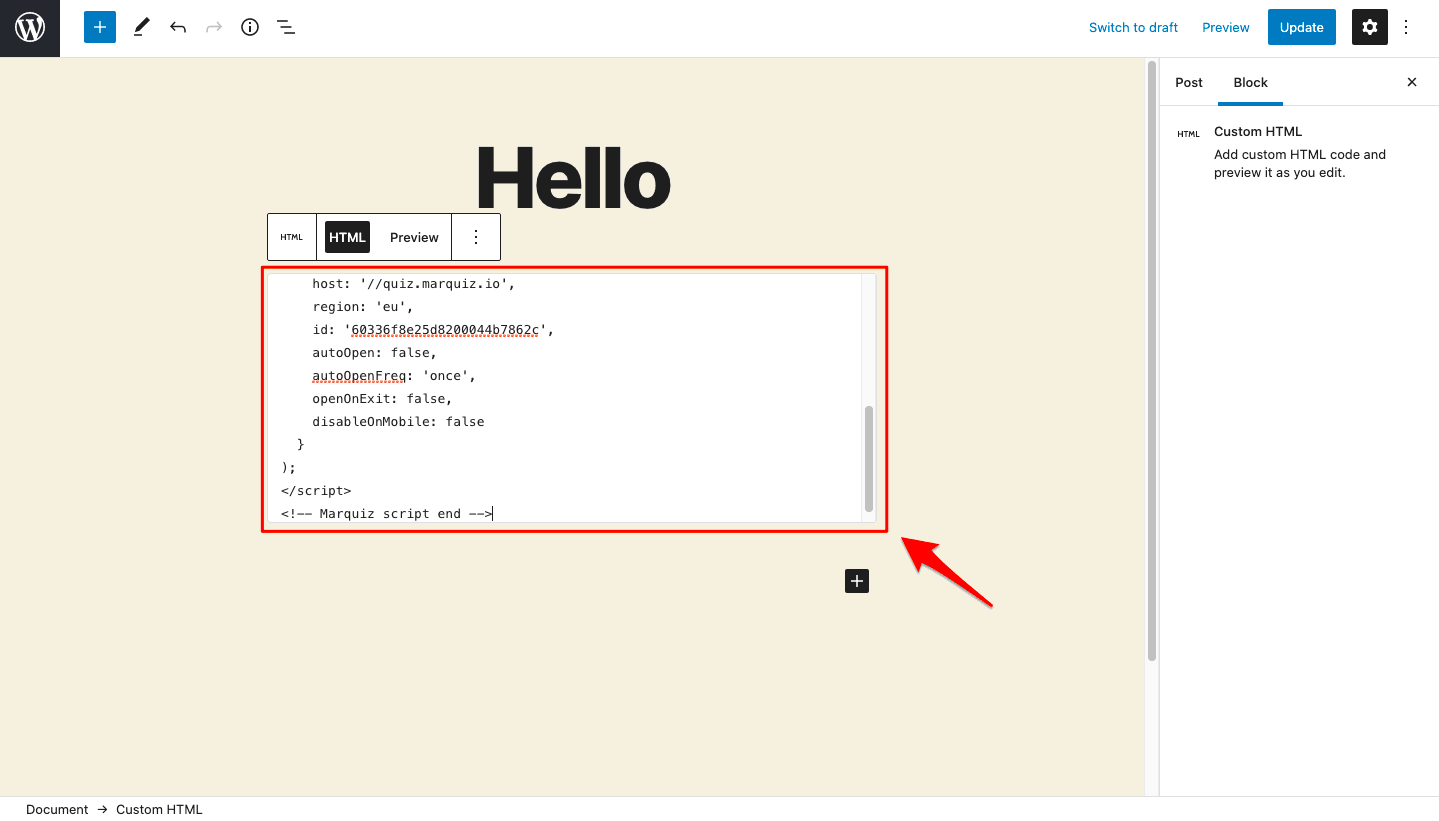
Now select Custom HTML and paste the Initialization Code you copied before.
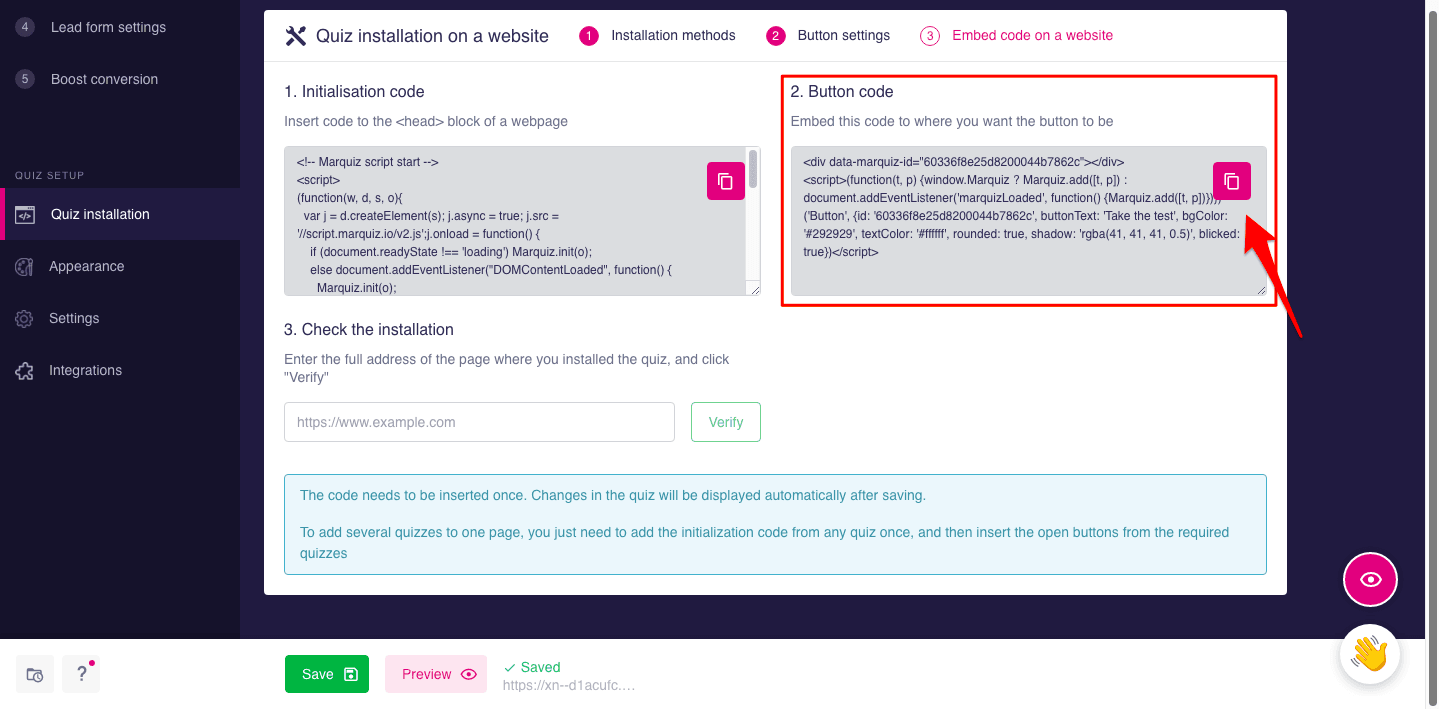
Go back to Marquiz editor, copy the Button code and paste it to the same block where you inserted the Initialization code previously, and click on Update
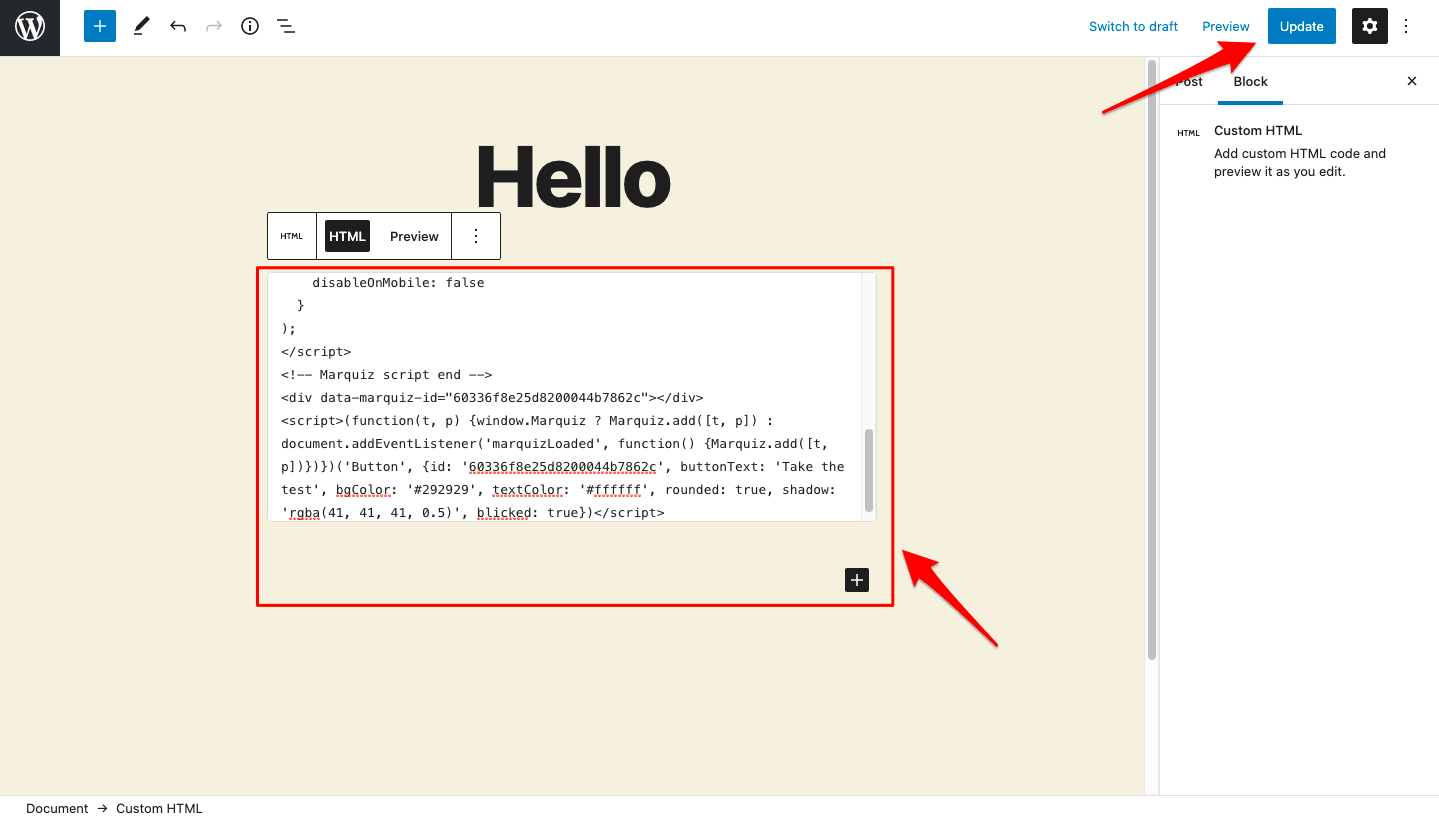
Done! Quiz has been added to your site
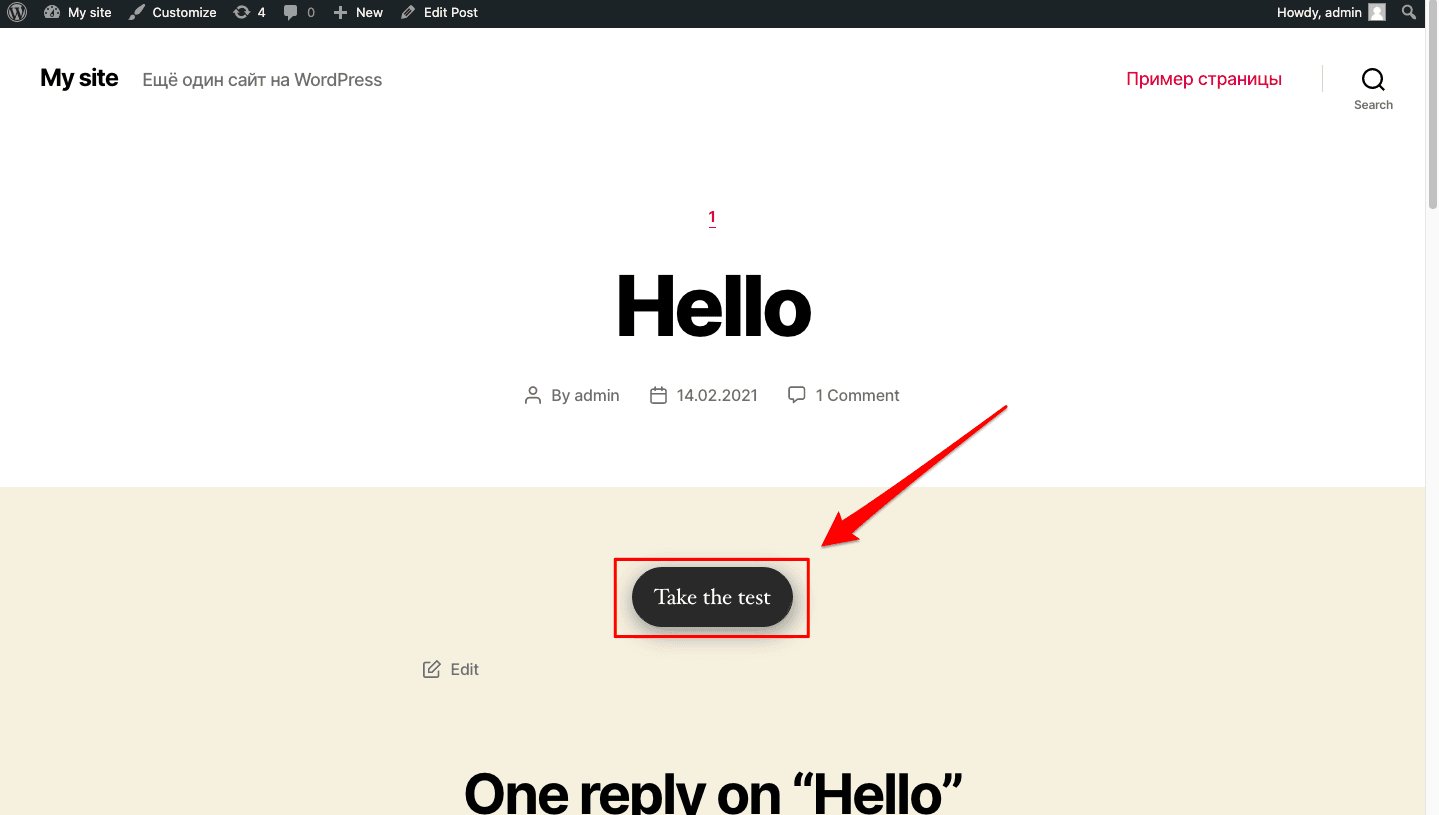
All the other installation types have can be integrated identically.
PS: In Elementor plugin you have to insert the link of that format in your button
https://#popup:marquiz_606560607542bc0055c82c47
where 5dd798089eada10044ed4132 - quiz id