How do I add my JavaScript code to the quiz?
Instructions for adding your own code to the quiz
It is possible to add JavaScript code to your quiz, which will be executed when the quiz is loaded.
To add the code, you need:
1. Log in to edit the quiz from your personal account;
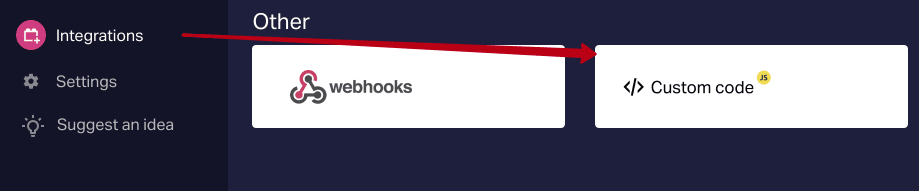
2. Next, go to the “Integrations” tab and select “Custom code”
3. Add tag to the beginning and end of the quiz code
For example:
<script> alert('HelloWorld') </script>
Only the
4. Save the quiz.
Done!
Now, when you log in to the quiz, your code will be executed first, and after that the quiz will load. (the screenshot shows the action of the alert(‘HelloWorld’) command

The code is inserted into the tag