
10 Best Quiz Software Platforms for Marketers 2026
The best quiz software depends on what you need to build. Some platforms are better for lead-generation funnels, while others are designed for personality quizzes, assessments, surveys, or product recommendations. In this guide we compare ten popular quiz software platforms on the things that actually affect your results: features, ease of use, integrations, analytics, usage limits, and cost.
Best quiz software: Top picks
In this table, you will find our shortlist at a glance. Each tool has a clear specialization, so scan the “Best for” column first, then check the limits and price that would affect your campaign.
| Tool | Best for | Free plan or trial | Conditional logic | Lead capture | Integrations | Starting price* |
| Marquiz | Conversion-focused lead generation | Free: 10 leads/mo | ✅ | ✅ | ✅ | $19/mo |
| involve.me | Multi-step marketing funnels | Free: 2 funnels, 50 responses/mo | Paid plans | ✅ | ✅ | $29/mo |
| Typeform | Conversational experience | Free: 10 responses/mo | ✅ | ✅ | ✅ | $29/mo |
| Interact | Personality quizzes, list growth | 14-day trial | Paid plans | ✅ | ✅ | $27/mo |
| Outgrow | Quizzes, calculators, content | 7-day trial + limited free | Paid plans | ✅ | ✅ | $14/mo |
| Fillout | Free quiz software | Free: 1,000 responses/mo | ✅ | ✅ | ✅ | $15/mo |
| ConvertFlow | Ecommerce quiz funnels | Free (build-only) | ✅ | ✅ | ✅ | $25/mo |
| SurveyMonkey | Surveys, market research | Free: 25 responses/quiz | Paid plans | Basic | ✅ | $39/mo |
| Opinion Stage | Publishers, content engagement | Free: 25 responses/mo | ✅ | ✅ | ✅ | $25/mo |
| Google Forms | Simple quizzes, zero budget | Free (unlimited) | Basic | Via Sheets | Google Workspace | No paid plans |
Starting prices as of August 2026; some tools are billed annually. For up-to-date information, please visit the pricing page of the chosen tool.
A free plan doesn’t automatically mean the best value. The cheapest option often comes with tight response caps, missing integrations, blocked export, or forced branding. Weigh the monthly price against the limits that may slow your campaign down.
How we evaluated the quiz software
To keep this comparison fair, we tested every platform the same way instead of judging each one on its own terms. We tried to build one identical quiz on each tool, with the same questions, the same scoring, and the same logic, then rated them all against the same criteria. Below you’ll find the “company legend”, the exact quiz we aimed to build, and the criteria we scored each tool against.
Test scenario
To make it concrete, we built a kitchen renovation cost-estimate quiz, the kind a home-services company would run on paid traffic. Here are its key characteristics:
- Six questions of different types cover project scope, timeline, ownership, budget, priorities, and kitchen size
- The flow uses branching: people who don’t fit our ideal customer portrait (e.g. only exploring options or living in a rented property) should skip the budget question and land on a softer result
- A simple score routes high-intent leads to a “book a free measurement” result while everyone else receives a price guide
✨ Here’s the legend that we told all the AI assistants: Our company is called Renova Home. It specializes in kitchen renovation in Boston. We use only quality materials and hire only skilled workers. We prefer projects with medium to high budget. We want to create a quiz that would segment and prioritize the leads. Users who live in a rented property, have low budget (less than 10,000 USD), are just exploring options or want to start in 3+ months should get a price guide of our kitchen renovation options. Those who want to start within 1 month or 1-3 months should get an invitation to book a free measurement.
Evaluation criteria
We were guided by one core principle: a slick interface and a big template gallery are nice features, but they should not count for more than logic, data hand-off, and analytics. A quiz that looks great yet never delivers a qualified lead to your CRM has failed at the job you hired it for.
So, we evaluated each platform against the same ten criteria:
- Ease of use
- Quiz types
- Conditional logic
- Scoring and personalized outcomes
- Lead-capture features
- Integrations
- Design and mobile experience
- AI features
- Analytics
- Pricing and usage limits
Note: we checked which integrations each platform officially offers rather than wiring up and testing each one end to end.
10 best quiz software platforms
Below are the platforms worth shortlisting, from free online quiz makers to specialized marketing quiz software built for lead capture. We start with Marquiz, purpose-built for lead-generation quiz funnels, then review nine strong alternatives. Every entry reveals:
- What the tool is
- Why it stands out
- Its key features
- Honest limitations
- Pricing
- Who it suits best
After reading, you can compare like for like instead of reading a stack of sales pitches.
Marquiz — Best for conversion-focused lead generation quizzes
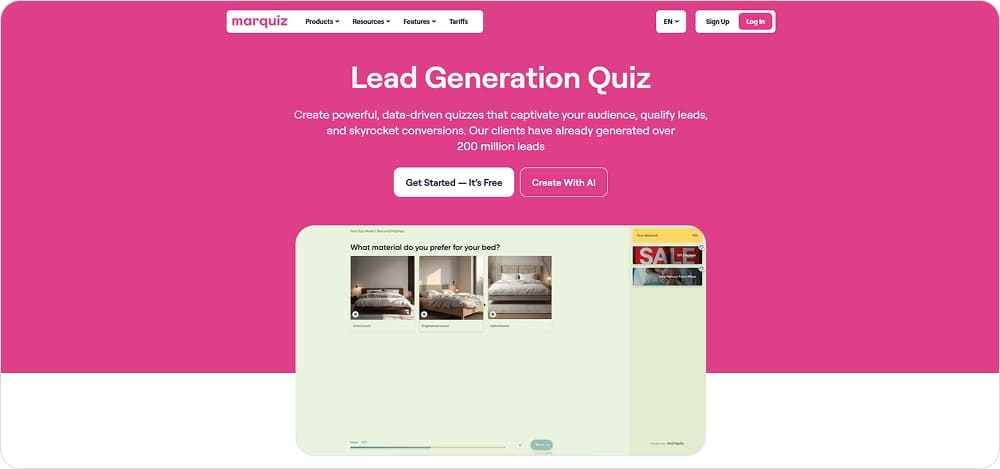
What it is. A quiz builder to create lead-gen funnels, where you create a quiz without coding and use it as a standalone landing page or embed it on your site.
Why it stands out. It is built around qualification: conditional logic routes people by their answers, and every paid plan unlocks the full feature set. The built-in AI assistant can draft a complete quiz based on a text description or your website URL. Unlimited number of quizzes on all subscription plans (including Free).
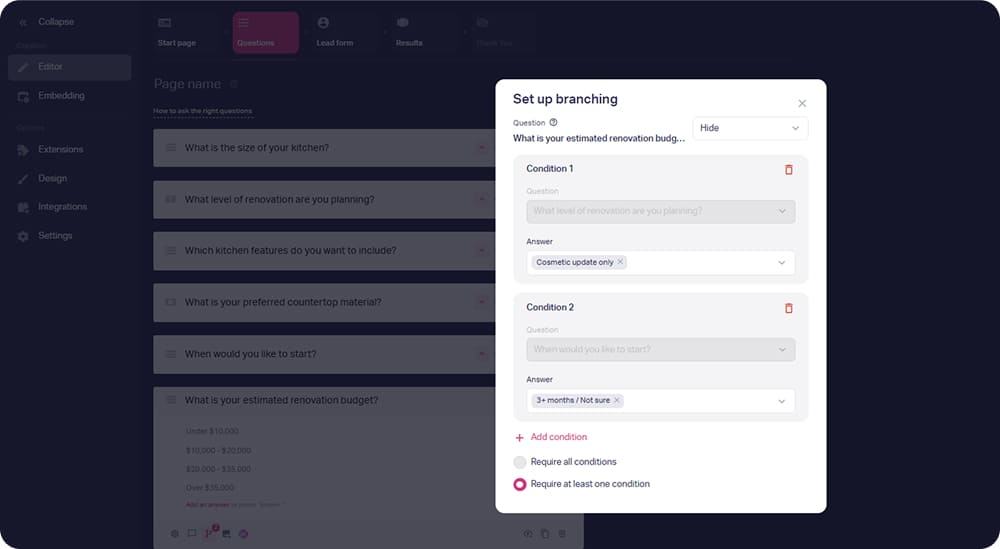
Conditional logic tailors the next question and result to each answer
👉 When we built our Renova Home quiz, Marquiz’s AI suggested several quiz ideas, wrote text for the start page and the contact form, generated relevant questions and answer options. Branching, “smart tips”, and results had to be set up manually. We also could easily add pictures from the built-in Unsplash library.
Key features:
- Conditional logic and answer-based scoring
- Lead-capture form can be placed before quiz results
- A variety of quiz types: pricing calculator, e-com quiz, true/false test, and more
- Personalized results and product recommendations based on user answers
- Mobile-optimized quizzes
- Funnel/drop-off analytics, answer statistics, results breakdown, A/B tests, UTM tags
- 200+ templates for lead-gen quizzes
- Integrations with 100+ tools directly (HubSpot, Salesforce, Google Analytics, Meta Pixel, Stripe), plus Zapier (2,000+ apps), Make, and webhooks/API
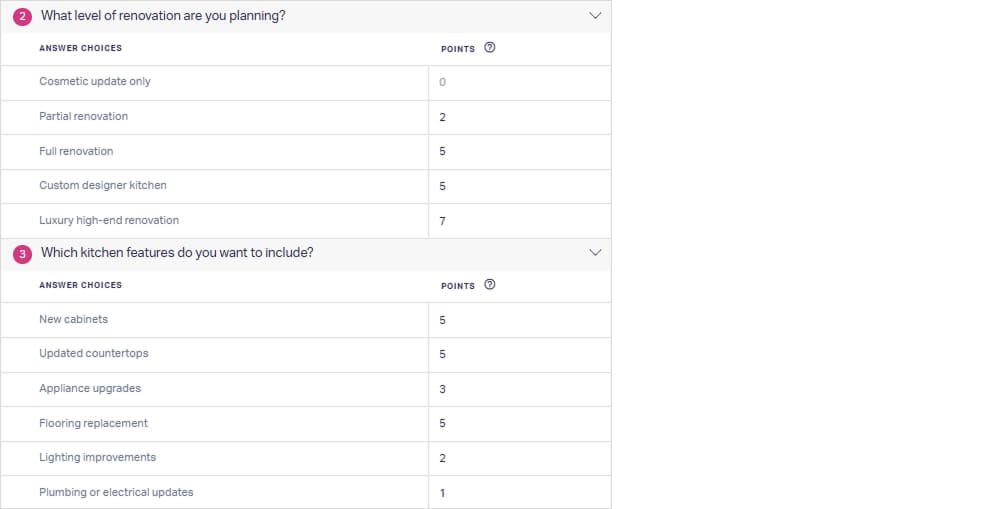
Answer scoring filters out unfit leads and lifts the quality of the rest
💡 Best for: marketers who want a conversion-focused, pay-per-lead quiz funnel that both captures and qualifies leads.
Limitations. The free plan caps at 10 leads a month and keeps Marquiz branding, so it suits testing rather than live campaigns. Advanced analytics must be activated as a separate add-on at $4/mo per quiz.
Pricing (as of August 2026). Free plan with 10 leads a month; the Start plan is $19/month for 30 leads, and Plus runs from $39/month for 100 to 5,000 leads, charged by lead volume. Plan features and comparison: https://www.marquiz.io/pricing.
1. involve.me — Best for multi-step marketing funnels
What it is. An interactive funnel builder for quizzes, forms, calculators, and assessments, with a funnel type built specifically for score-based outcomes.
Why it stands out. AI can draft a whole funnel from a short description. The score-to-outcome mapping is automatic, and involve.me even suggests sensible score ranges.
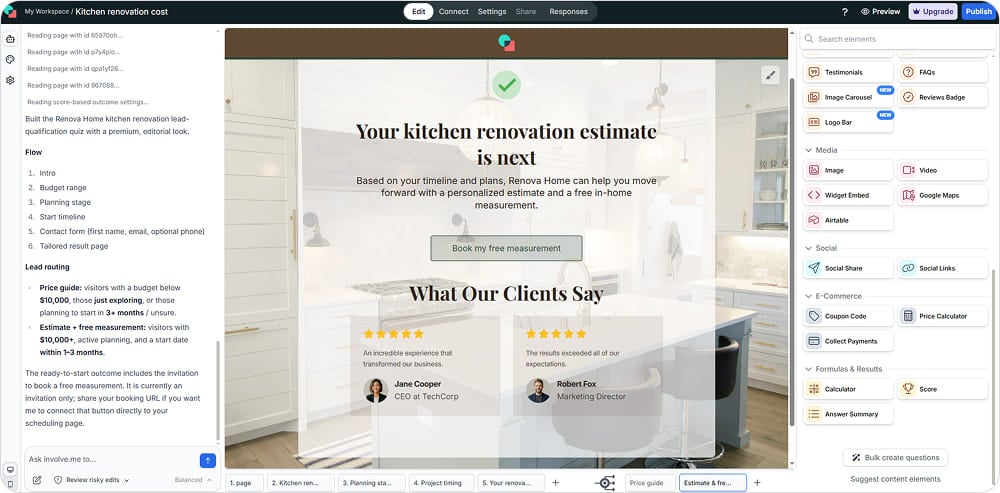
The built-in AI assistant reworks your quiz from plain-text prompts
👉 Building our Renova Home quiz, involve.me’s AI took quite a while. However, it is really smart and can tweak the quiz according to your text prompts. It also generates a score formula for outcomes if you have difficulties at this stage. The quiz design editor offers lots of elements and customization options — so many it can be overwhelming for beginners.
Key features:
- AI funnel builder from a short description, free plan included
- Conditional logic (on paid plans) and score-based outcomes
- Personalized result pages by score or answer
- A variety of content types: quizzes, forms, calculators, assessments
- Lead-capture pages and a scheduling step (Google Calendar, Calendly, HubSpot, Pipedrive)
- Built-in email automation and in-funnel payments
- Mobile-responsive design, 300+ templates
- Basic analytics and A/B testing
- Integrations like Notion, Google Sheets, HubSpot, and Klaviyo
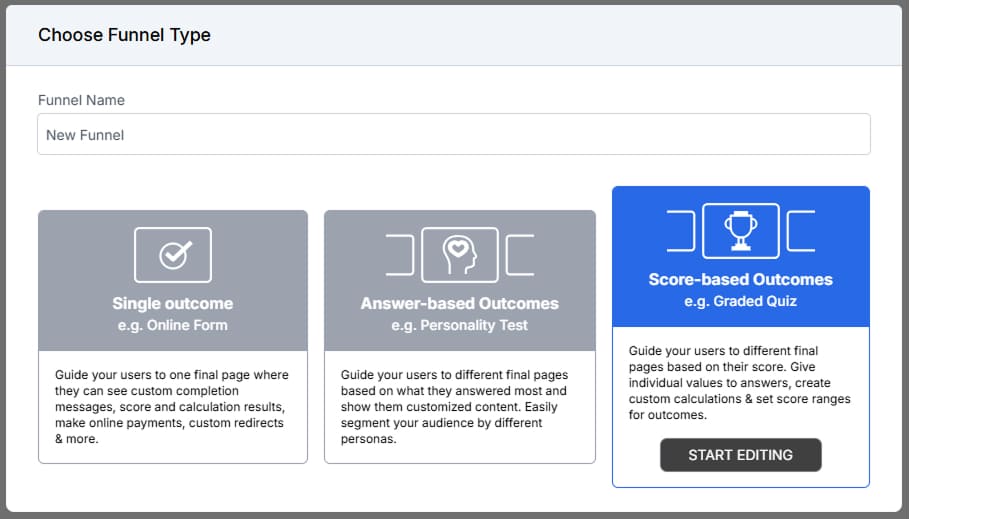
Pick the funnel type that matches your goals: single outcome, answer-based outcomes or score-based outcomes
💡 Best for: marketing teams that need more than a simple quiz — funnels with scoring, email automation, and payments in one place.
Limitations. The free plan caps you at 2 funnels and 50 responses a month, and conditional logic is reserved for paid plans. A lot of design and content elements are paid-only, which the editor reveals only when you try to add them.
Pricing (as of August 2026). Free plan with 2 funnels and 50 responses a month. Paid plans run monthly, starting from $29/mo. Plan features and comparison: https://app.involve.me/billing/plans.
2. Typeform — Best for conversational user experience
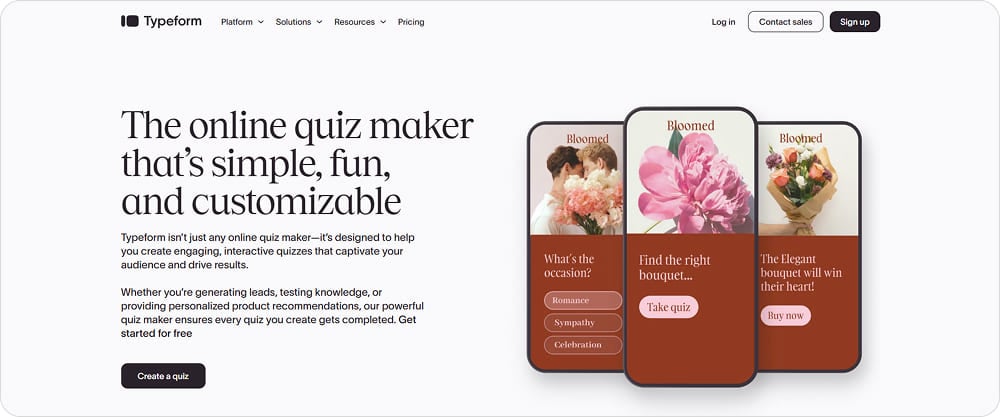
What it is. A form and quiz builder that shows one question at a time, with a clean, minimal interface and a vast number of integrations.
Why it stands out. The builder creates visually appealing quizzes, shows a flow map and keeps a version history, which helps with larger quizzes. Typeform integrates natively with Zapier, including Zapier AI, which allows automation with 9000+ apps.
👉 In our Renova Home build, we appreciated the visual flow map that made the branching easy to follow. The editor interface is quite intuitive, and the AI chat allows you to tweak a quiz easily through text prompts.
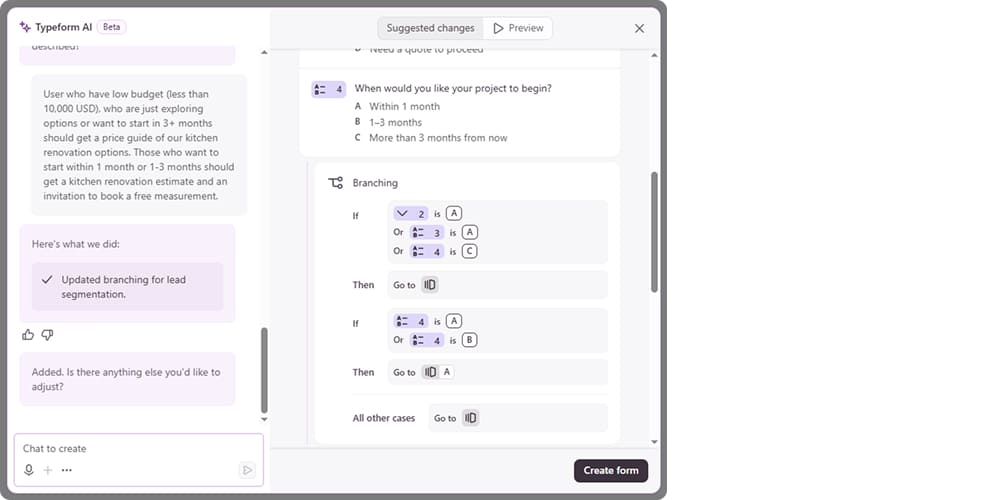
Branching logic sends people down different paths based on their answers
Key features:
- Conditional logic and score-based endings
- Personalized result screens
- Contact form before results for lead capture
- Response analytics with completion and drop-off
- AI builder that can draft a form or quiz
- Spreadsheet-style table of responses on the free plan
- 120+ direct integrations, plus Zapier and Make for thousands more
💡 Best for: brand surveys and simple marketing quizzes where design and user experience matter most.
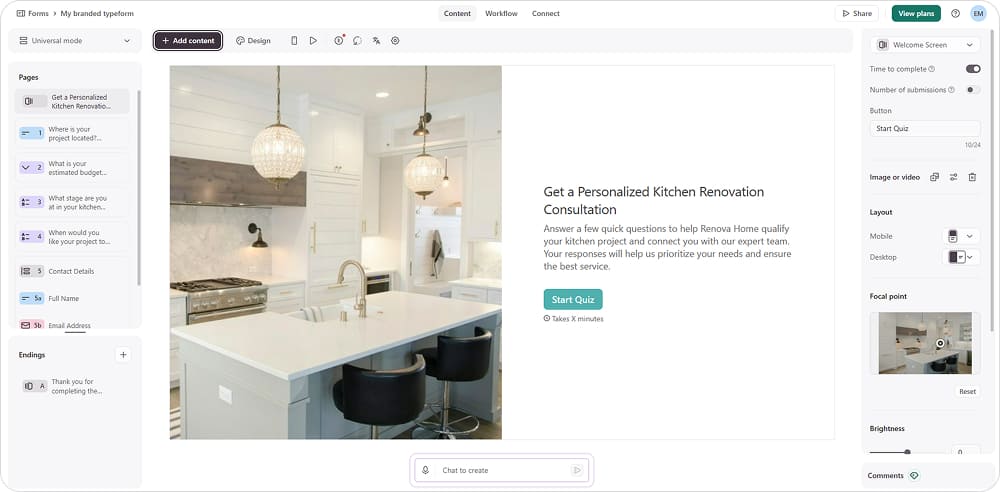
The visual editor has a lot of design options for creating visually appealing quizzes
Limitations. The free plan allows only 10 responses per month across all forms. Paid plans run on the expensive side, and complex quiz funnels are not Typeform’s strength.
Pricing (as of August 2026). Free plan with unlimited forms but 10 responses a month; the most affordable upgrade, Basic, is $29/mo for 100 responses. Plan features and comparison: https://www.typeform.com/pricing/.
3. Interact — Best for personality quizzes and email list growth
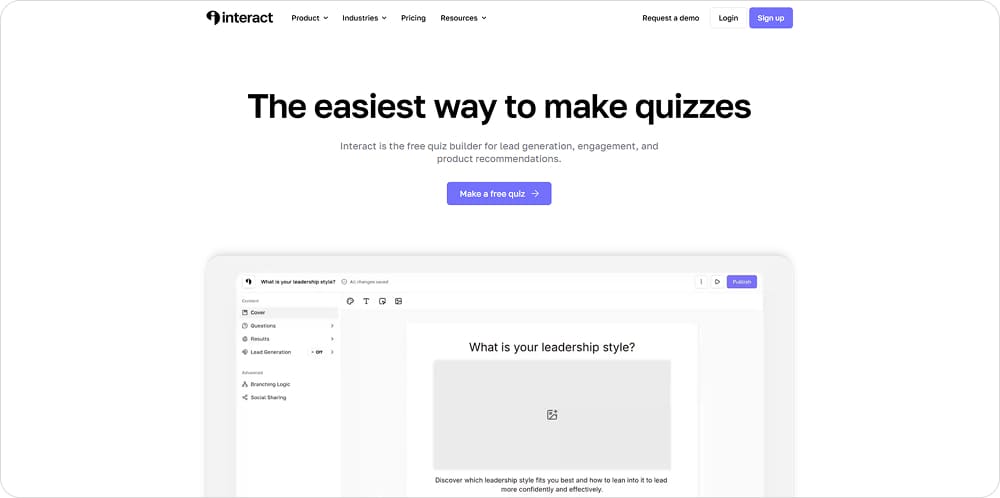
What it is. A dedicated quiz builder aimed at lead capture, product recommendations, and audience segmentation, especially for creators and small marketing teams.
Why it stands out. It has an easy interface, branching logic, and email-marketing integrations, so leads land in your list already segmented by their answers. Interact says quizzes built on its platform have generated over 100 million leads, which points to how established the lead-gen use case is here.
👉 For our Renova Home quiz there was no renovation template to start from, only interior-design ones. The AI generated questions but could not adjust them to our prompts, and the exploring-or-renting skip we needed sits behind a paid plan, since branching is not available on the free tier.
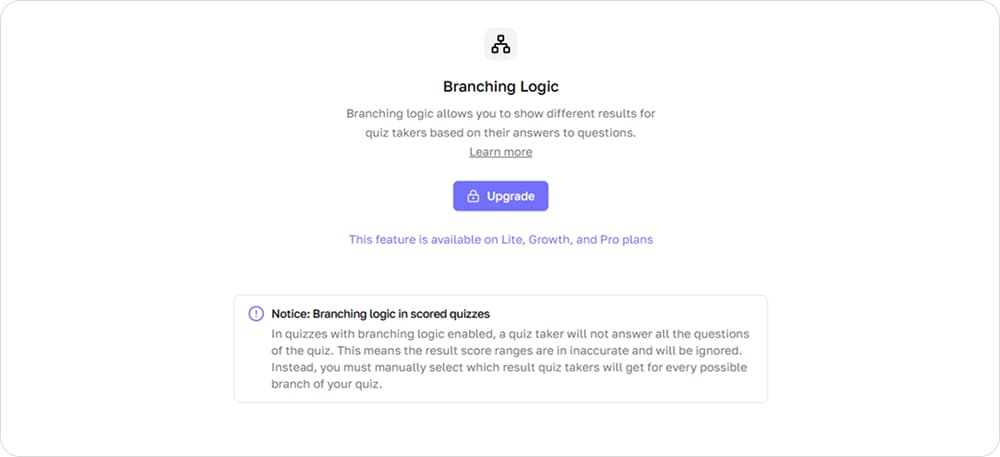
You won’t be able to test branching logic before you upgrade to a paid plan
Key features:
- Personality and recommendation quizzes
- Ready-made templates
- Scoring and branching
- Result-based audience segmentation
- 35+ native integrations (Mailchimp, ConvertKit, Klaviyo, HubSpot, Salesforce), plus Zapier
- Built-in analytics: responses, completion, and top results, with Google Analytics and Facebook Pixel tracking
- A built-in library of Unsplash images and Giphy GIFs
💡 Best for: creators, consultants, and small teams growing an email list with personality quizzes.
Limitations. Key features sit behind paid plans: branching, analytics, and more than two quizzes all require an upgrade. Design options are limited next to more visual builders.
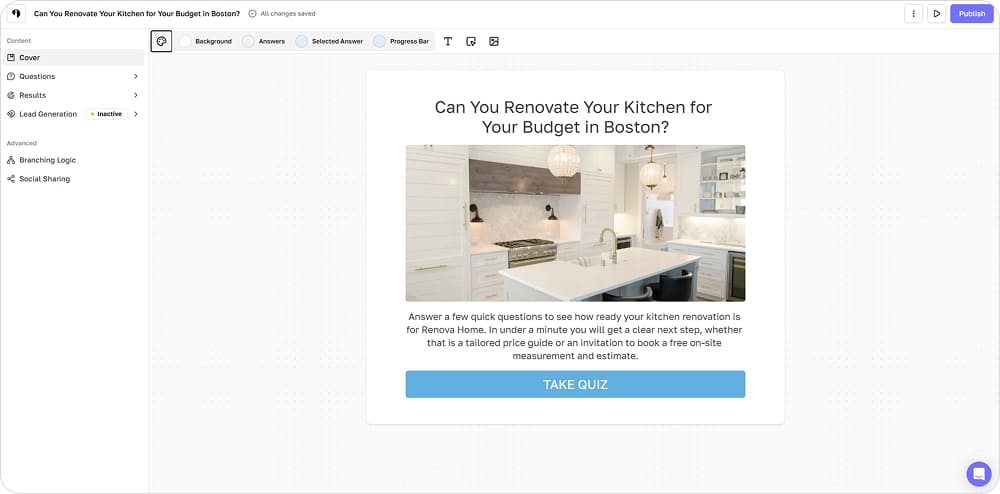
The quiz editor is quite intuitive but offers limited design options
Pricing (as of August 2026). A 14-day free trial on all plans; paid plans start at $27/month billed annually. Plan features and comparison: https://www.tryinteract.com/pricing.
4. Outgrow — Best for quizzes, calculators, and interactive content
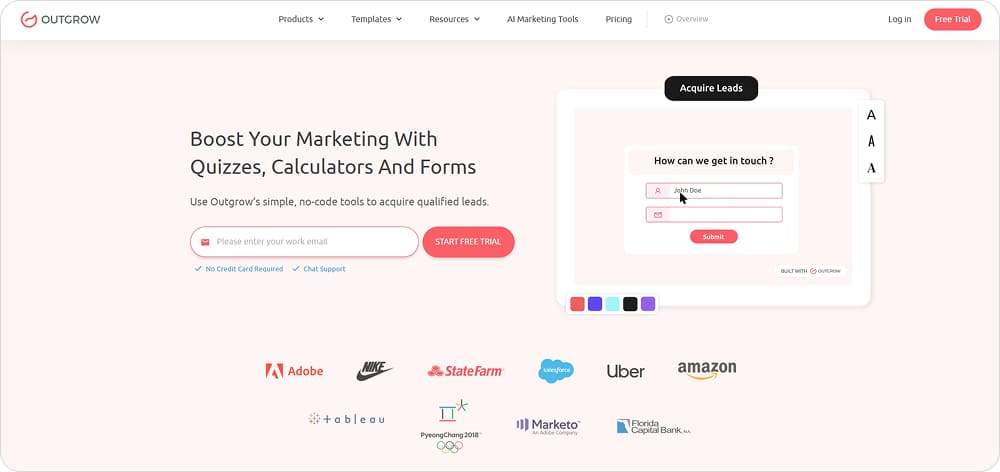
What it is. A broad interactive-content platform for quizzes, calculators, assessments, polls, and product recommendations, built for demand generation.
Why it stands out. You can capture leads at any point in the flow rather than only at the end, and funnel analytics show where people drop off. The tool supports creation of user personas and audience segments for further application in marketing.
👉 While we were making our Renova Home quiz, the editor interface felt complicated (although a guided tour helped a bit). Quiz layouts were quite limited on the free plan. The AI generator returned nothing at all, which may have been a temporary glitch.
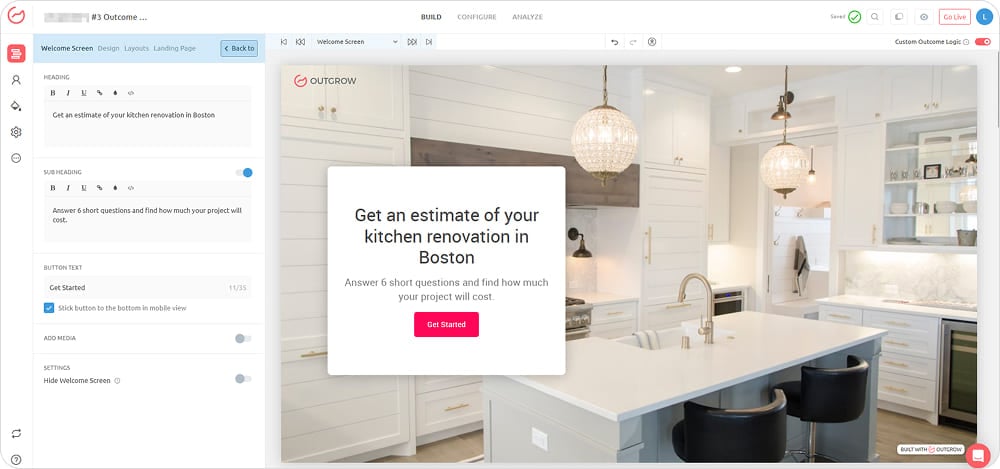
The visual editor packs a lot in, with a learning curve to match
Key features:
- Conditional logic and formula-based scoring
- Quizzes, calculators, assessments, polls, and recommendations
- Funnel and per-question analytics with device, geo, and traffic-source breakdowns
- User personas and segments
- 50+ native integrations (HubSpot, Mailchimp, Salesforce, Marketo), plus Zapier
- Unsplash and Pexels image libraries
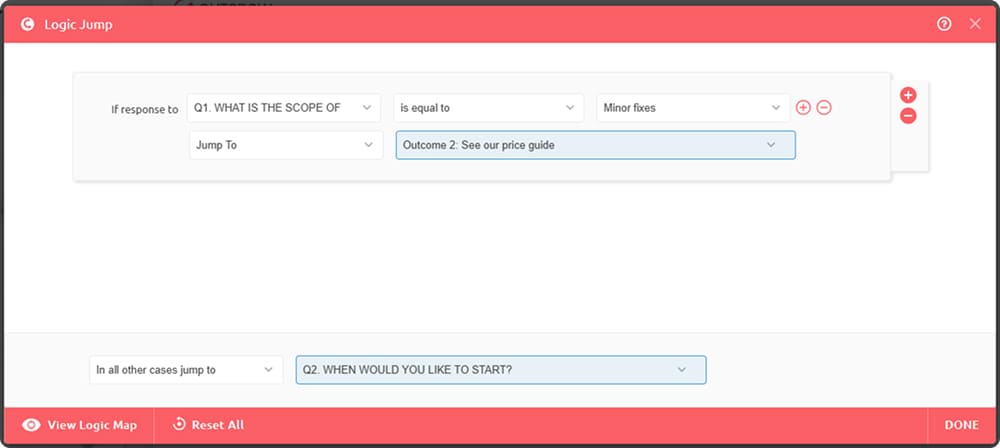
Conditional logic branches the flow and routes leads by their answers
💡 Best for: marketers who need calculators, assessments, or recommendation engines alongside their quizzes.
Limitations. Lower tiers force Outgrow branding, with a steep jump to the higher plans. Full analytics sits on the paid tiers, and the free tier covers only forms and surveys.
Pricing (as of August 2026). A 7-day free trial with full Business-plan access and no card required, plus a very limited free tier for forms and surveys. Paid plans start at $14/mo. Plan features and comparison: https://outgrow.co/pricing.
5. Fillout — Best free quiz software

What it is. A fast form-and-quiz builder with a dedicated quiz mode, and the most generous free plan of the tools here.
Why it stands out. The free plan publishes unlimited quizzes and allows up to 1,000 responses a month, a generous free tier. A free calendar widget also lets you book calls straight from the quiz, so lead capture and scheduling live in one flow.
👉 When we started our Renova Home quiz, Fillout opened it as a right-or-wrong test, so we had to switch that off manually to build a lead-gen quiz. The builder was clean, but we could not change the text font or size, and the free plan kept a prominent “Make your own Fillout” button.
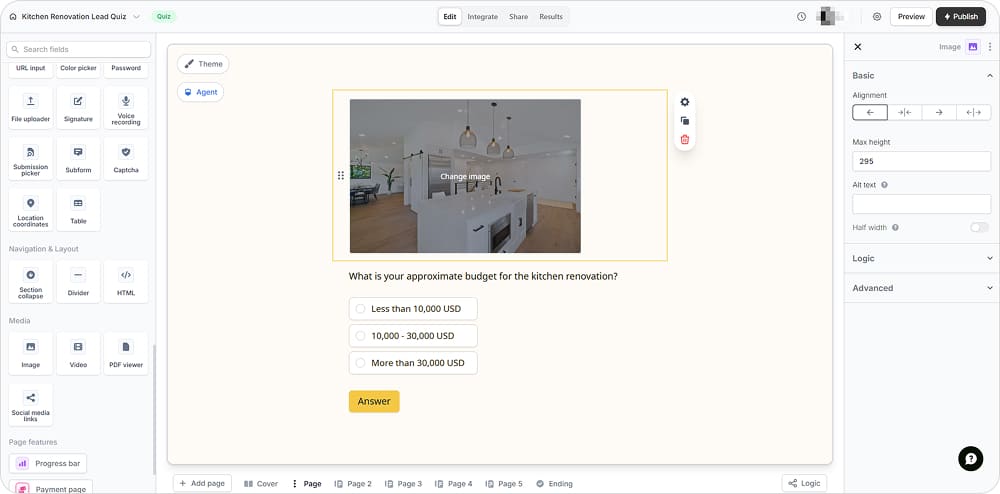
The quiz editor is clean and intuitive, though font and size options are limited
Key features:
- Dedicated quiz mode with answer scoring and outcome pages
- Page logic to branch or skip questions based on answers
- Built-in booking step to schedule calls straight from the quiz
- AI builder that drafts a form or quiz from a prompt
- CSV export of responses and leads
- Native integrations with Google Sheets, Airtable, Notion, HubSpot, and Pipedrive, plus Zapier, Make, and webhooks
- Form analytics on paid plans, with Google Analytics and Meta Pixel tracking
💡 Best for: testing ideas and running small lead-gen projects without paying for a professional plan.
Limitations. Analytics are locked to paid plans. On the free plan, you get a very conspicuous “Make your own Fillout” button. Building the logic and confirmation pages takes some patience, and the outcome and booking pages are not very customizable.

Full analytics sit behind a paid plan, even on this generous free tier
Pricing (as of August 2026; verify the response cap). The Free Forever plan includes 1,000 monthly responses and unlimited quizzes. Paid plans start from $15/mo. Plan features and comparison: https://www.fillout.com/pricing.
6. ConvertFlow — Best for ecommerce quiz funnels
What it is. An all-in-one funnel builder for ecommerce that combines quizzes with popups, landing pages, forms, and product recommendations on one platform.
Why it stands out. Quizzes plug directly into a wider on-site funnel, so answers can trigger personalized product recommendations, upsells, and follow-up offers. One ConvertFlow ecommerce case reports a quiz-funnel average order value of ~$54 against $35 on the standard store.
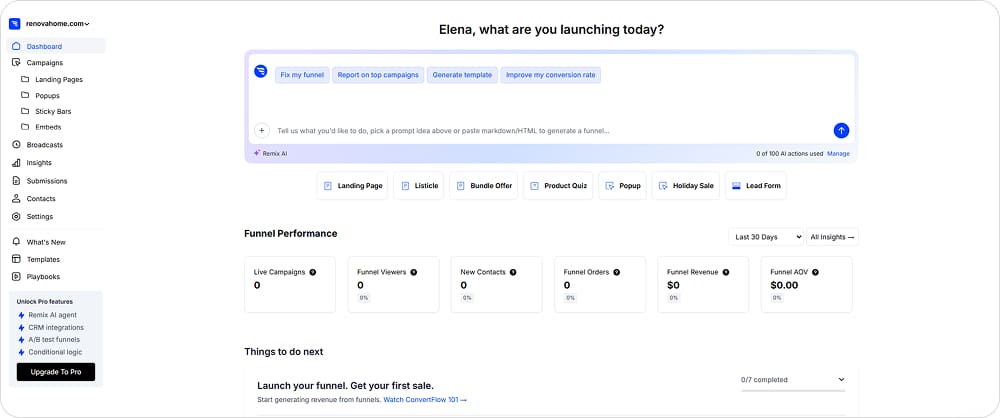
ConvertFlow is ecommerce-focused: it helps you create product quizzes, bundle offers, and holiday-sale funnels
👉 Given our Renova Home brief, ConvertFlow’s AI asked a long list of questions and summarized them before generating, but the result was weak: it captured little beyond budget and where to send the result. The quiz editor also felt clunky for a standalone quiz.
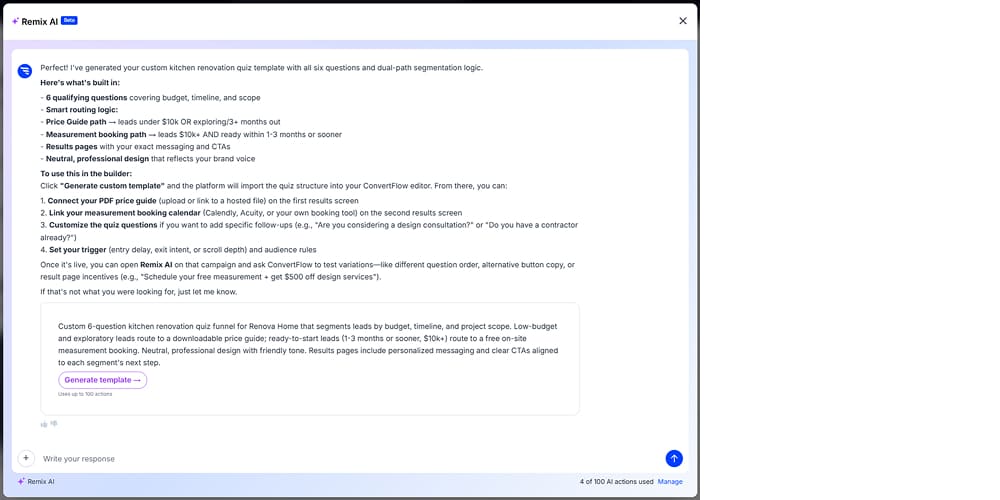
The AI asked a lot of questions but pulled only the budget question from our detailed brief
Key features:
- Quiz funnels with branching and personalization
- Product-recommendation logic
- A/B testing
- Funnel analytics
- Large template library
- 1-click integrations with Shopify, Klaviyo, HubSpot, Drip, and Attentive
- Unsplash images
💡 Best for: ecommerce brands that want quizzes wired into product recommendations and on-site personalization.
Limitations. The free plan is build-only, so you cannot publish a live campaign without upgrading. Pricing scales with funnel views and rises steeply as traffic grows, and the platform is heavier than a simple quiz needs.
Pricing (as of August 2026). Free build-only plan; paid plans start at $25/mo. Features and comparison are available on this page: https://www.convertflow.com/pricing.
7. SurveyMonkey — Best for surveys and market research
What it is. An established survey platform that can also build simple scored quizzes.
Why it stands out. It is built for research at scale, with solid reporting. Its AI quiz builder was among the best drafting a quiz from a plain-language description.
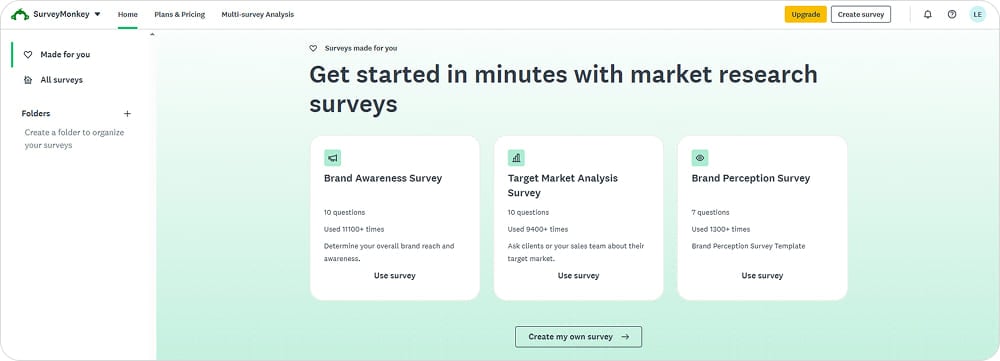
The tool offers various types of surveys: brand awareness, market analysis, and brand perception
👉 SurveyMonkey’s AI drafted sensible questions and answers for our Renova Home quiz, but on the free plan we could not add branching or a background image, and there was no way to show a score-based result, so the qualification logic we needed was not possible.
Key features:
- Survey and quiz question types
- Scoring in quiz mode
- Powerful AI quiz builder
- Analytics and reporting with charts, filters, and cross-tabs; export to Power BI, Tableau, or Sheets
- 200+ integrations (Salesforce, HubSpot, Mailchimp, MS Teams), plus Zapier and API
💡 Best for: market research and feedback, with the occasional simple scored quiz on the side.
Limitations. On the free plan you cannot show a custom result screen by score, and branching logic and even a background image are paid features. There is no data export, responses are capped at 25 per quiz, and quizzes top out at 10 questions. The design is very basic, and it is a survey tool first, not a quiz-funnel builder.
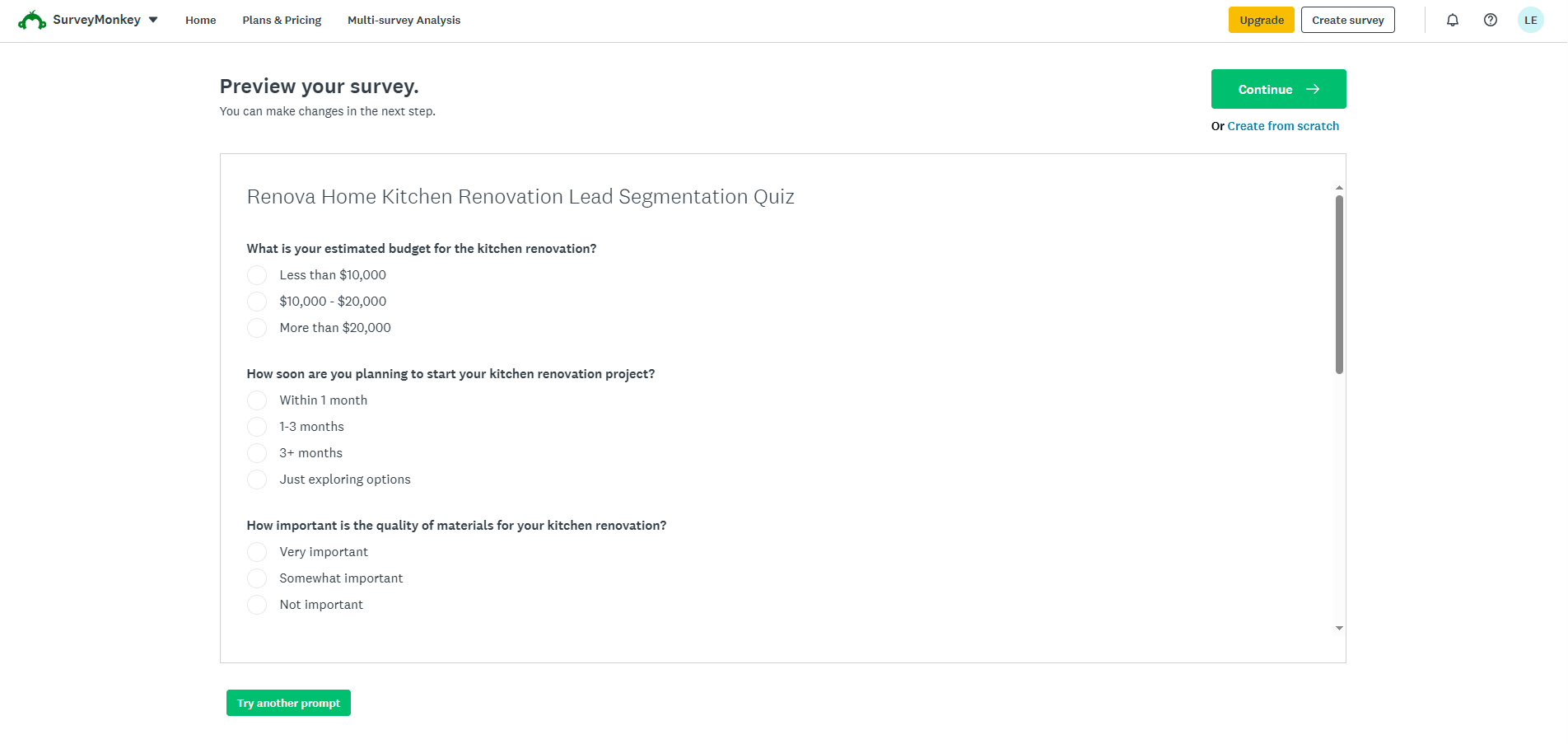
A survey preview demonstrates that the design is quite basic
Pricing (as of August 2026). Free plan with 10 questions and 25 responses per quiz. Paid plans starting from $39/mo. Plan features and comparison: https://www.surveymonkey.com/pricing/.
8. Opinion Stage — Best for publishers and content engagement
What it is. A quiz, survey, and poll builder designed to embed inside articles and content sites.
Why it stands out. Opinion Stage embeds into blogs and stores, with plugins for WordPress, Shopify, Squarespace, and Wix. This tool handles both personality and trivia quizzes for engagement and contact collection.
👉 Opinion Stage handled our Renova Home questions well, its AI produced smart questions and sensible answers, though the dated, non-drag-and-drop builder made the rest of the setup slow.
Key features:
- Personality and trivia quizzes with outcome-based results
- Polls and surveys
- Conditional logic on the free plan
- AI quiz creation
- Response analytics with conversion rate tracking (Meta and Google pixels)
- Embedding via WordPress, Shopify, Squarespace, and Wix plugins
- 1,000+ integrations (Mailchimp, Google Tag Manager), plus Zapier, webhooks, and API
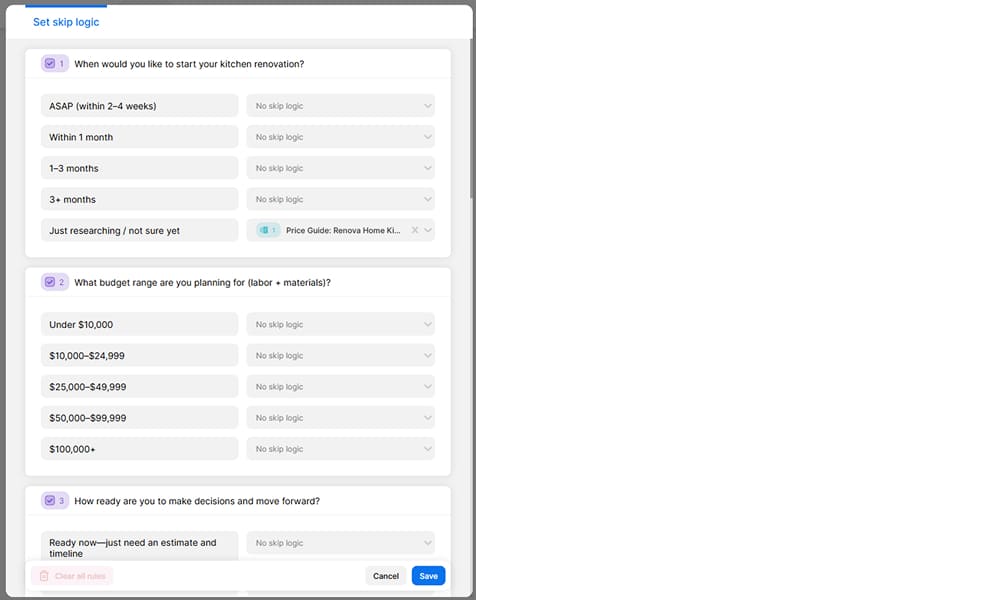
Skip logic routes people past questions based on their answers
💡 Best for: publishers and content teams who want embeddable quizzes to boost on-page engagement.
Limitations. The builder feels dated and is not drag-and-drop, the learning curve is steep, free-plan branding is prominent, and responses are capped at 25 a month on the free tier.
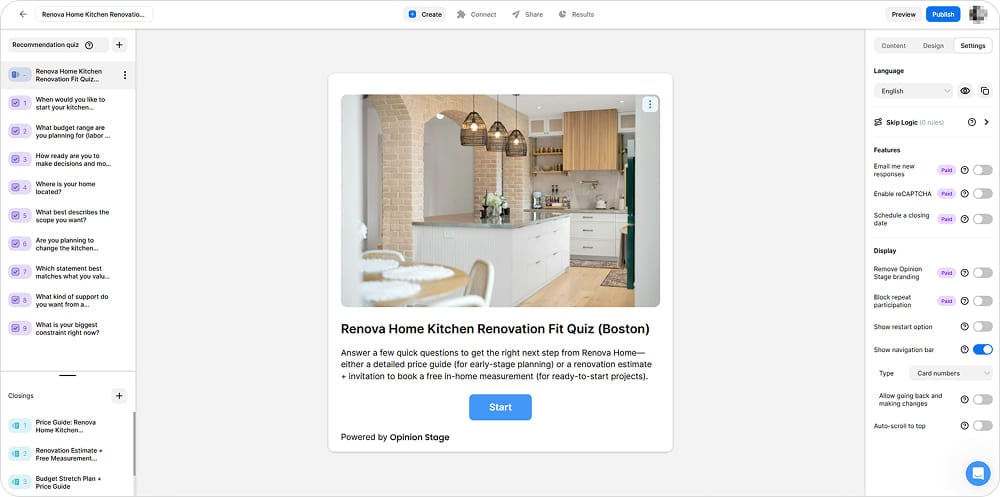
The builder works, but feels a bit out-of-date and doesn’t support drag-and-drop
Pricing (as of August 2026). Free plan with unlimited quizzes but 25 responses a month. Paid plans start from $25/mo. Plan features and comparison: https://www.opinionstage.com/pricing/.
9. Google Forms — Best for simple quizzes on a zero budget
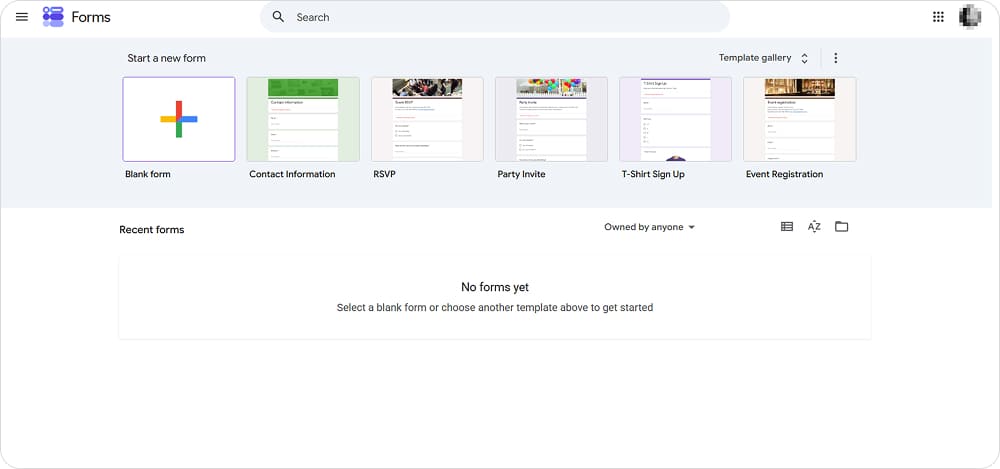
What it is. A free form and quiz tool inside Google Workspace.
Why it stands out. It is free with unlimited quizzes and responses, has almost no learning curve, and feeds straight into Google Sheets.
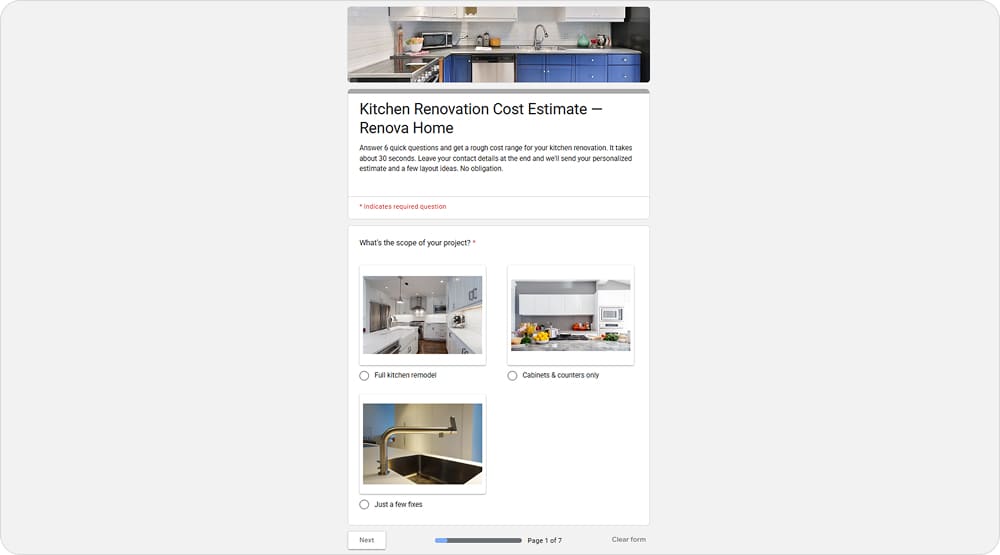
The result looks surprisingly tidy for a completely free tool
👉 There is no real branching logic, but we could imitate it in our Renova Home quiz using sections. The tool allows you to route users to certain sections based on their answers. Example: if project scope is too small, user goes to a thank you page with a link to a price guide. Otherwise, they proceed to the next question.
Section routing imitates branching, sending users answers to different pages based on their answers
Key features:
- Basic quiz scoring (correct-answer points only)
- Section-based branching by answer
- Unlimited quizzes and responses
- Images and video added to forms
- Built-in response summary charts, with deeper analysis in Google Sheets
- Integrates with Google Workspace (Sheets, Drive) and add-ons; other apps via Sheets, Apps Script, or Zapier
- No AI quiz generator
💡 Best for: testing a quiz idea or running simple internal tests on a shoestring budget.
Limitations. It only scores a single correct answer rather than weighting different answer choices, so marketing-style scoring needs a spreadsheet workaround. Customization and analytics are minimal, and there is no built-in funnel or lead-nurture step. The “Make it a quiz” toggle allows you to assign points for correct answers, but it is only for “Check your knowledge” quiz type.
Pricing (as of August 2026). Free, with no paid plan.
FAQ

Final verdict: which quiz software should you choose?
There is no universal best quiz software, only the best fit for your goal.
🏆 For a simple, free test, Google Forms covers the basics, and it is the best quiz maker to reach for on a zero budget.
🏆 For the most generous free quiz software, Fillout is the tool of choice.
🏆 For lead generation quiz software, look at Marquiz, involve.me, or Interact, depending on how much funnel and personalization you need.
🏆 For personality quizzes and email-list growth, Interact fits creators and small teams.
🏆 For interactive content beyond quizzes, calculators, assessments, and recommendations, Outgrow and ConvertFlow lead, with ConvertFlow being the best quiz funnel software for ecommerce.
🏆 For surveys and market research, SurveyMonkey is the optimal option.
🏆 For complex qualification with a clean CRM hand-off, prioritize conditional logic, scoring, and integrations over template count. Try Marquiz, involve.me and Outgrow.
Before you pay, build one real quiz. Take it on your phone, submit a test lead, and confirm that every answer reaches your CRM or inbox. Then check that you can actually see where people drop off. If a platform passes that test, it will likely serve your campaign well.
Key takeaways
📌 The best quiz software is not the tool with the most templates. It is the one that turns answers into useful customer data and gives every respondent a relevant next step.
📌 Before buying a paid plan, build one real quiz and give it a thorough testing.
📌 Judge any quiz tool against the full journey, not a single screen. Follow the whole funnel: traffic → quiz → lead capture → qualification → follow-up → sale. A tool can have a beautiful editor and still leak leads at the hand-off.